Building a Multi-Tenant GPU Cloud on Kubernetes: Kamaji for Isolation, Run:ai for GPU Sharing
Contents
Let’s say you are building a GPU cloud. You buy H100s and sell them to customers: a bank takes 16 GPUs, a hospital takes 8. Before signing, both ask the same question:
“Can the other customers see my workloads?”
The answer has to be no, so each customer becomes a tenant with its own Kubernetes cluster.
A month later, the bank comes back with a new problem:
“Our fraud team’s GPUs sit idle all night, while our NLP team waits in a queue for the same GPUs. Can they share?”
The bank’s 16 GPUs are used by three teams: fraud, NLP and research. Each team wants its own share, but idle GPUs should go to whoever needs them.
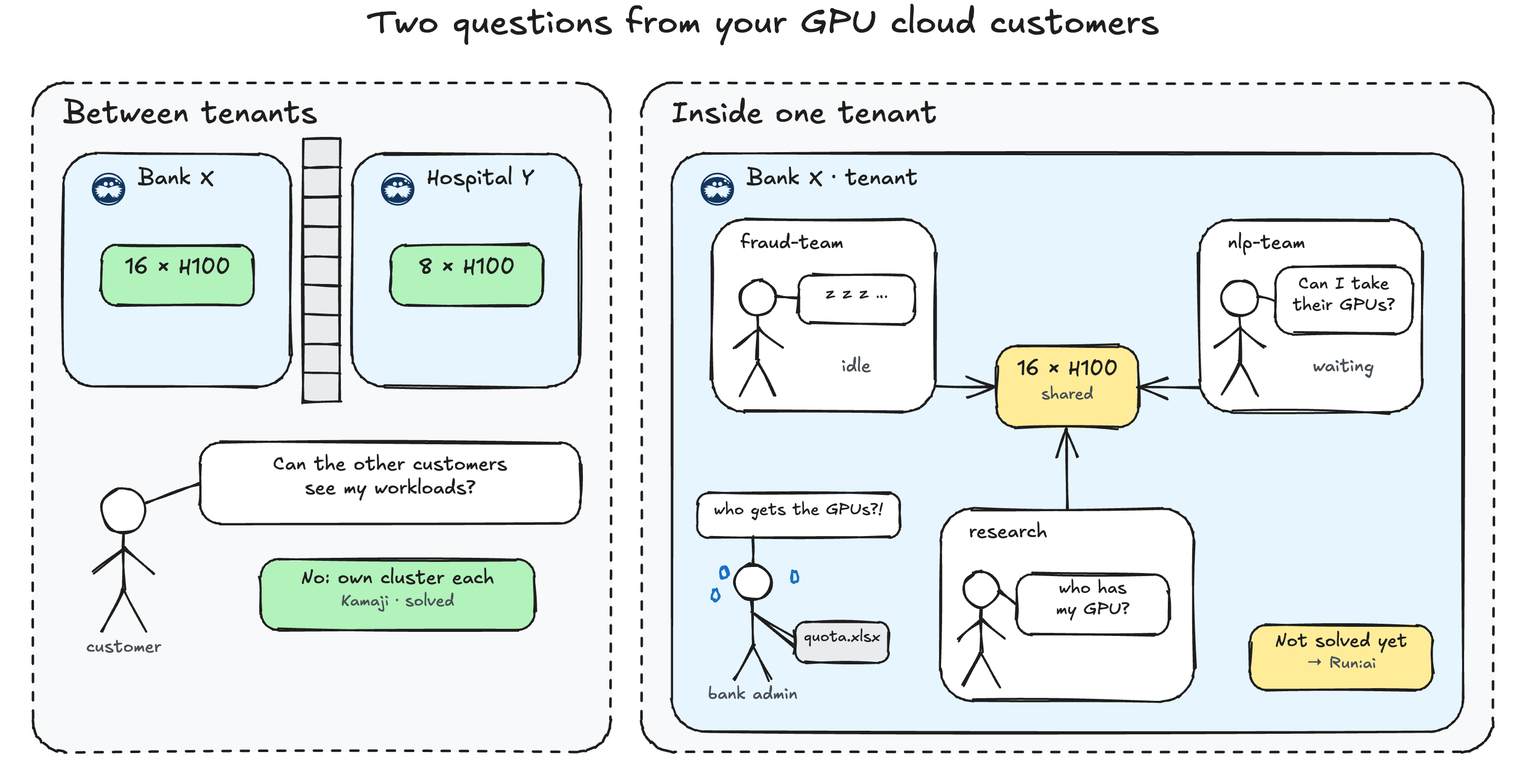
Kamaji with HAMi solved the first problem: a cheap cluster per tenant, with GPUs split into slices. It doesn’t solve the second. HAMi doesn’t know which team owns which GPU, so nothing lends idle GPUs to a busy team or takes them back. That is what Run:ai does, and I covered how to set it up in my previous post. This post combines both: a Kamaji cluster per customer for isolation, and Run:ai projects per team inside it for sharing.
I built it on two bare-metal servers with one NVIDIA H100 80GB each, one per tenant, and tested:
- Sharing inside a tenant: projects, borrowing, reclaim and scheduling rules.
- Isolation between tenants: can one tenant use another tenant’s idle GPU?
Architecture#
| Piece | Where it runs | Shared by tenants? |
|---|---|---|
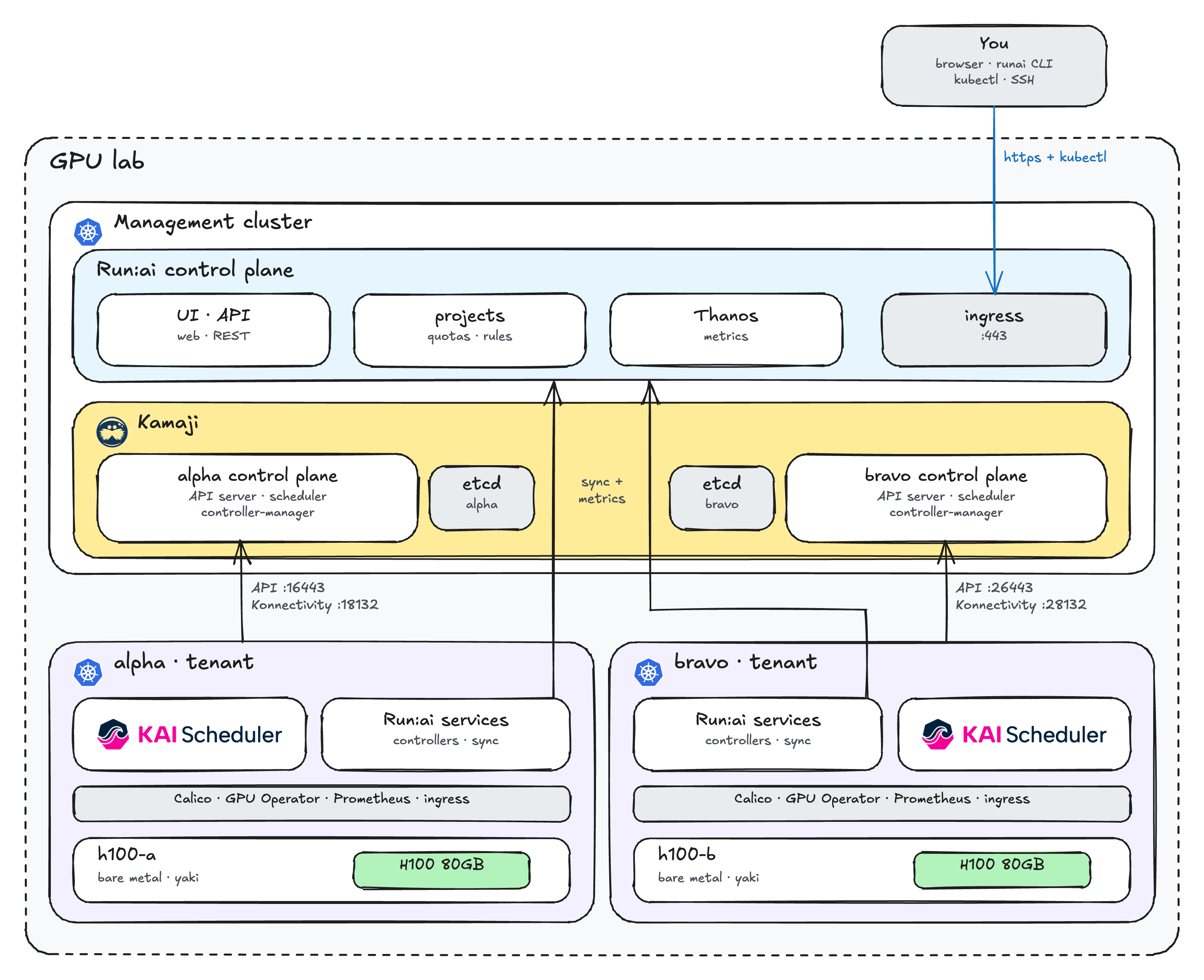
| Run:ai control plane (UI, API, projects) | Management cluster | Yes |
Tenant kube-apiserver, kube-scheduler, kube-controller-manager | Three Kamaji pods per tenant in the management cluster | No |
Tenant data (etcd) | One etcd per tenant, in the management cluster | No |
| Run:ai cluster services + KAI Scheduler | Inside each tenant | No |
| H100 GPU nodes | One per tenant | No |
The management cluster runs only Kamaji and the Run:ai control plane, with no GPU workloads. Each tenant is registered in Run:ai as its own cluster.
Lab setup#
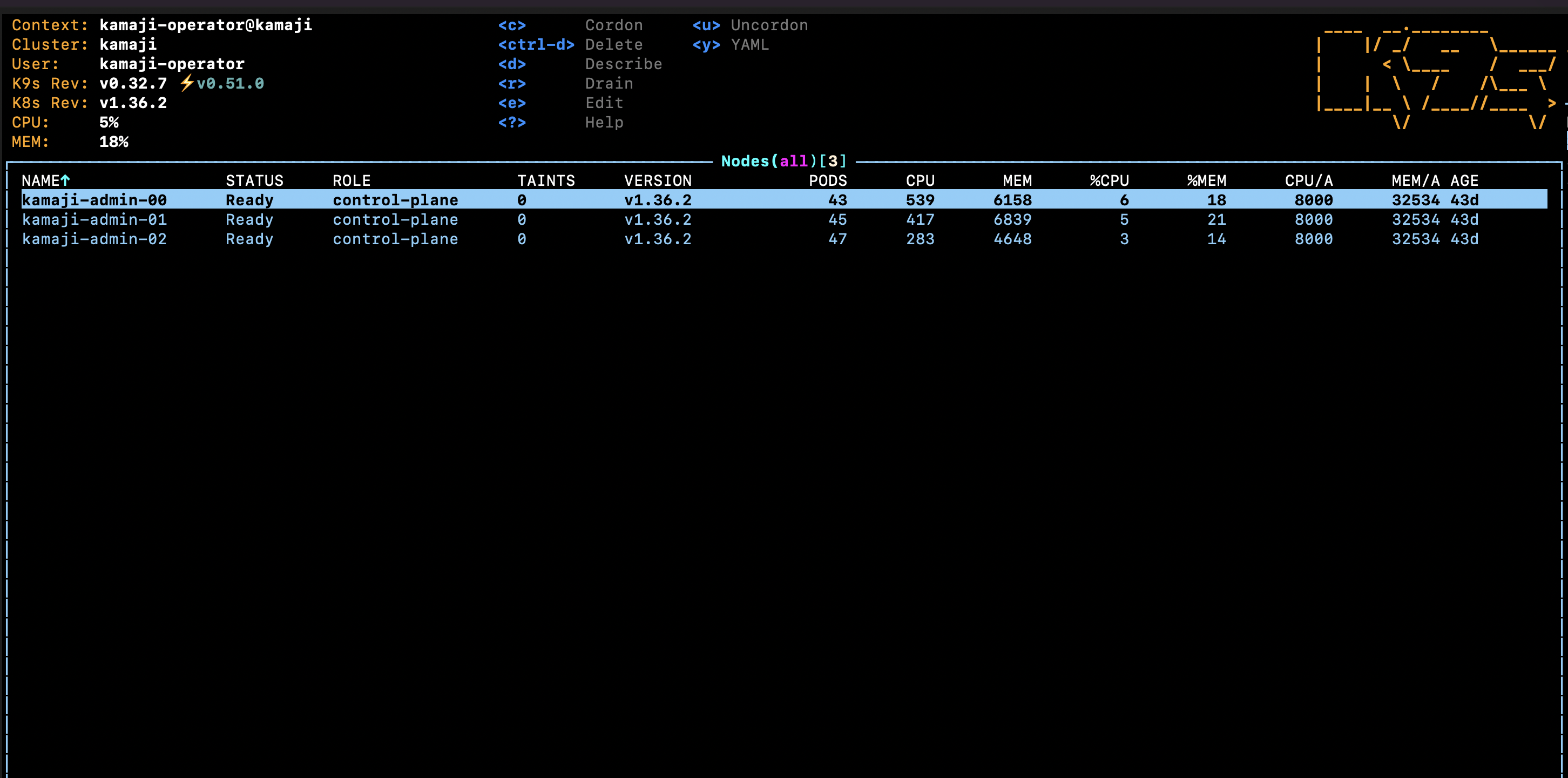
The management cluster, Kamaji and both tenant control planes (alpha and bravo) were already running in my lab, so this post doesn’t create them. It starts from there: install Run:ai, join the GPU servers, then test. To create the tenants yourself, see creating the Tenant Control Planes in the Kamaji + HAMi post.
| Item | Value |
|---|---|
| Management cluster | 3 nodes, haproxy ingress and cert-manager |
| Run:ai | Open-source Helm charts 3.0.20 |
| Tenants | alpha and bravo on Kubernetes v1.36.3, one H100 worker each, joined with yaki |
| GPUs | NVIDIA H100 PCIe 80GB, NVIDIA GPU Operator v26.7.1 |
GPU fractions need GPU Operator 26.7.1 or later, driver r615 or later, cgroup v2 and the GPU Operator’s NRI plugin disabled on the GPU node. Without them, fractional workloads never schedule. Run this on the GPU machine to check:
nvidia-smi --query-gpu=name,driver_version,memory.total,mig.mode.current --format=csv
stat -fc %T /sys/fs/cgroup
Prerequisites#
Everything runs from your machine with kubectl, helm, jq, curl, ssh and the runai CLI 3.0.20. You also need the kubeconfigs of the management cluster and both tenants (kamaji.kubeconfig, alpha.kubeconfig, bravo.kubeconfig), and SSH with sudo to both GPU servers.
Values from my lab#
Replace these values from my lab with yours:
| Value | What it is |
|---|---|
49.12.169.244 | Ingress IP (management ingress and tenant endpoints) |
16443, 18132, 26443, 28132 | API and Konnectivity ports of alpha and bravo |
runai.anishbista.org | Run:ai domain |
anishbista053@gmail.com | Let’s Encrypt email |
admin@example.com, <ADMIN_PASSWORD> | Run:ai admin login |
189.1.169.29, 51.159.163.201 | IPs of h100-a and h100-b |
Step 1: Run:ai control plane#
Run:ai needs a public name and a TLS certificate. Point an A record at the ingress IP, 49.12.169.244. I used runai.anishbista.org:
export KUBECONFIG=kamaji.kubeconfig
export INGRESS_IP=49.12.169.244
export RUNAI_DOMAIN=runai.anishbista.org
export INGRESS_CLASS=haproxy

dig +short $RUNAI_DOMAIN
Install the control plane:
helm repo add runai https://helm.ngc.nvidia.com/nvidia/runai-oss --force-update
helm upgrade -i runai-backend -n runai-backend --create-namespace runai/control-plane --version 3.0.20 \
  --set global.domain=$RUNAI_DOMAIN \
  --set global.ingress.ingressClass=$INGRESS_CLASS \
  --set tenantsManager.config.adminUsername=admin@example.com \
  --set tenantsManager.config.adminPassword='<ADMIN_PASSWORD>'
cert-manager already runs in the management cluster. Let’s Encrypt’s HTTP-01 check needs port 80 open:
nc -z -w 5 $INGRESS_IP 80 && echo "port 80 is open"
Request the certificate into runai-backend-tls, the secret the chart expects:
cat <<EOF | kubectl apply -f -
apiVersion: cert-manager.io/v1
kind: ClusterIssuer
metadata:
  name: letsencrypt
spec:
  acme:
    server: https://acme-v02.api.letsencrypt.org/directory
    email: anishbista053@gmail.com
    privateKeySecretRef:
      name: letsencrypt-account-key
    solvers:
      - http01:
          ingress:
            ingressClassName: $INGRESS_CLASS
---
apiVersion: cert-manager.io/v1
kind: Certificate
metadata:
  name: runai-backend-tls
  namespace: runai-backend
spec:
  secretName: runai-backend-tls
  dnsNames:
    - $RUNAI_DOMAIN
  issuerRef:
    name: letsencrypt
    kind: ClusterIssuer
EOF

kubectl -n runai-backend wait certificate/runai-backend-tls --for=condition=Ready --timeout=5m
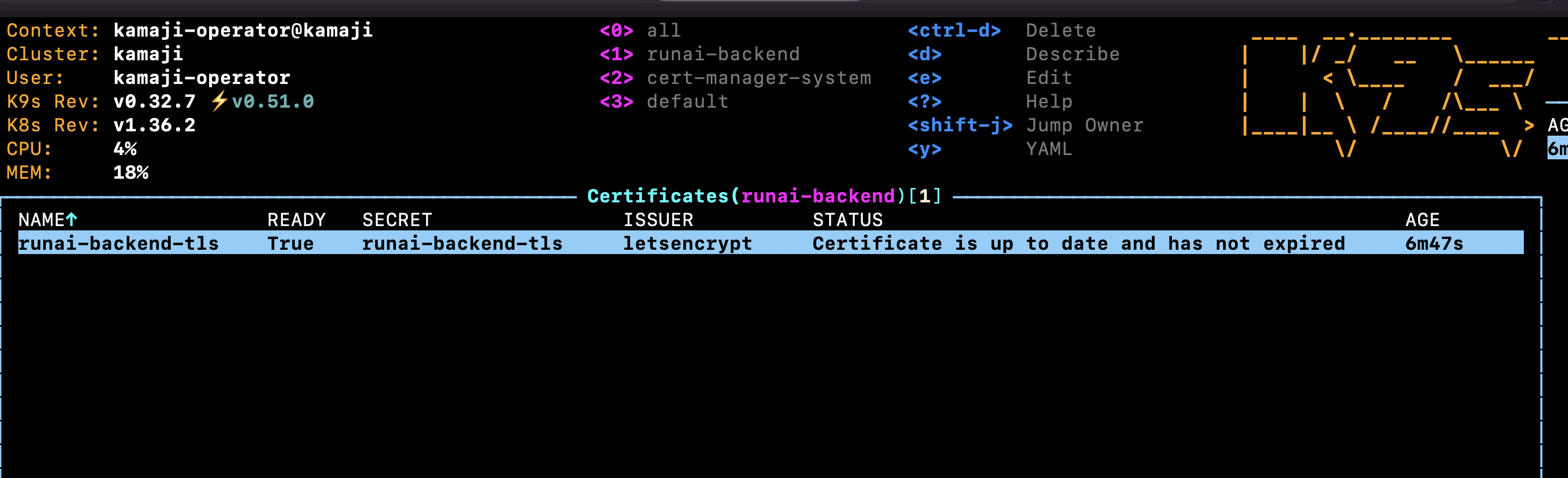
The certificate is from a public CA, so the tenants trust it without a runai-ca-cert secret.
Log in at https://$RUNAI_DOMAIN and close the setup wizard: the clusters are registered in Step 4.
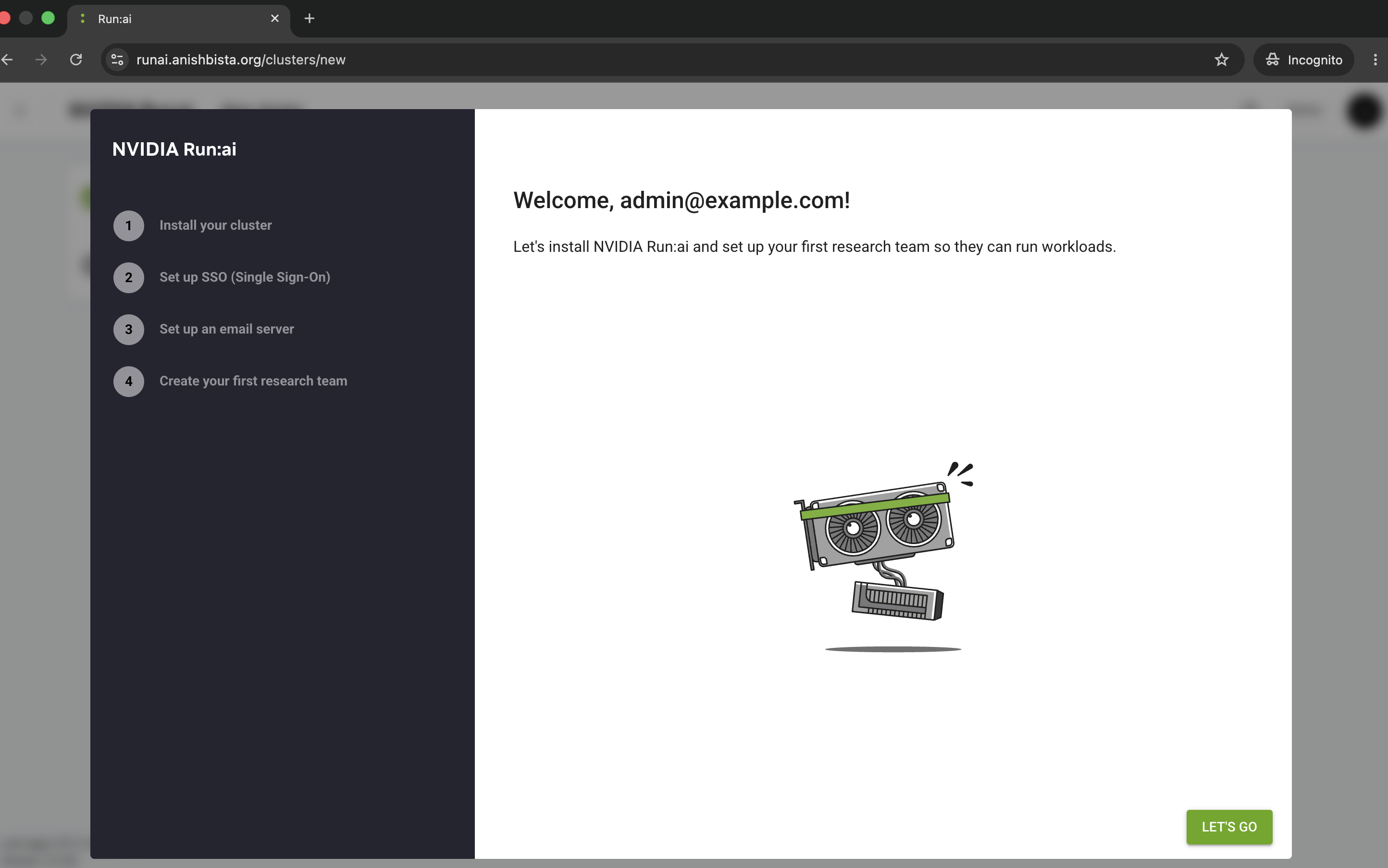
Log in with the runai CLI. The cluster list is empty, because no tenant is registered yet:
runai login
runai cluster list

Step 2: Check the tenant control planes#
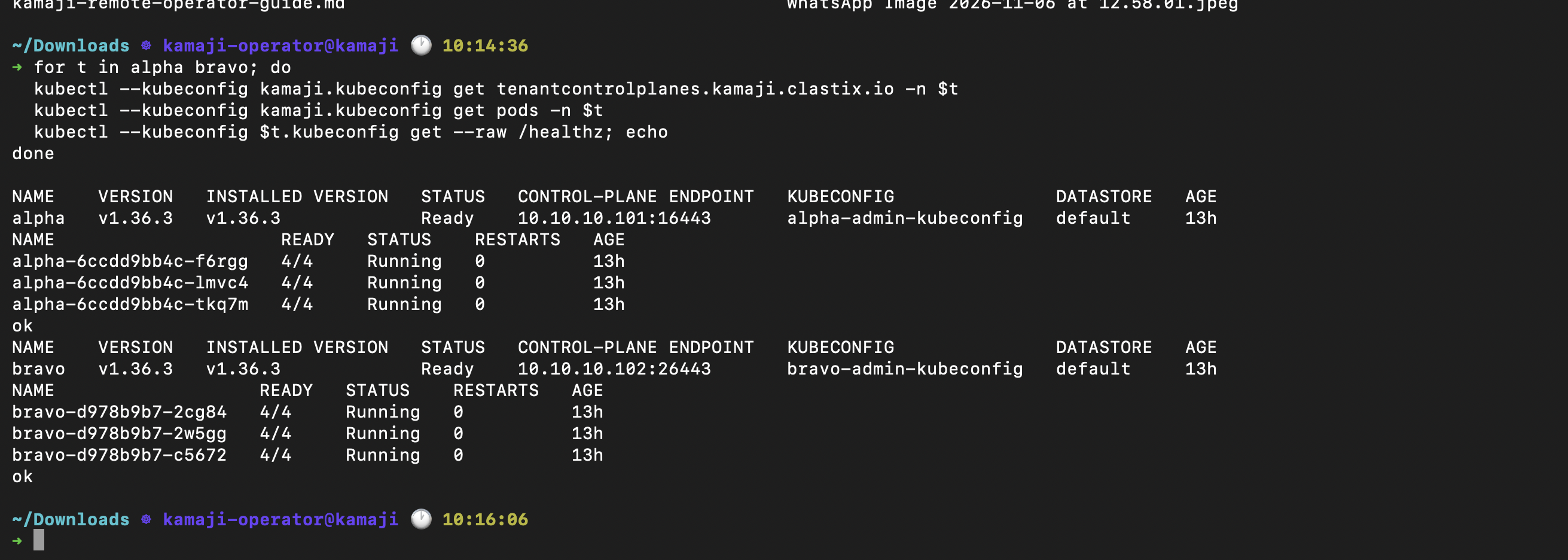
Check that both tenants are running:
for t in alpha bravo; do
  kubectl --kubeconfig kamaji.kubeconfig get tenantcontrolplanes.kamaji.clastix.io -n $t
  kubectl --kubeconfig kamaji.kubeconfig get pods -n $t
  kubectl --kubeconfig $t.kubeconfig get --raw /healthz; echo
done
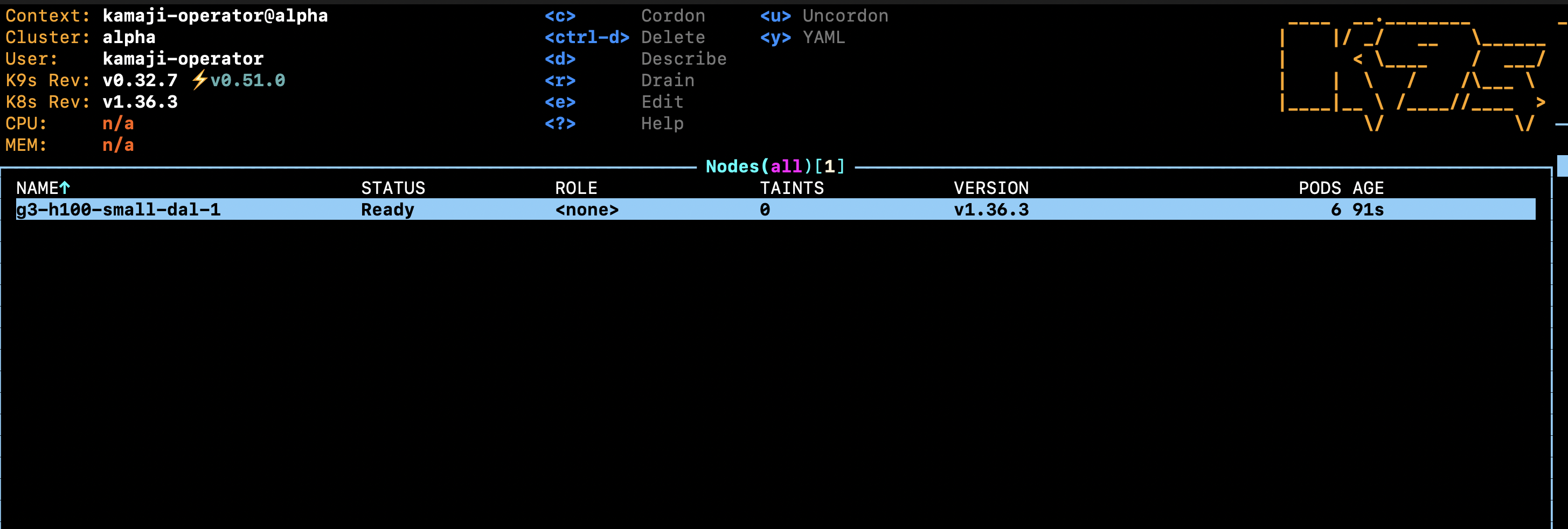
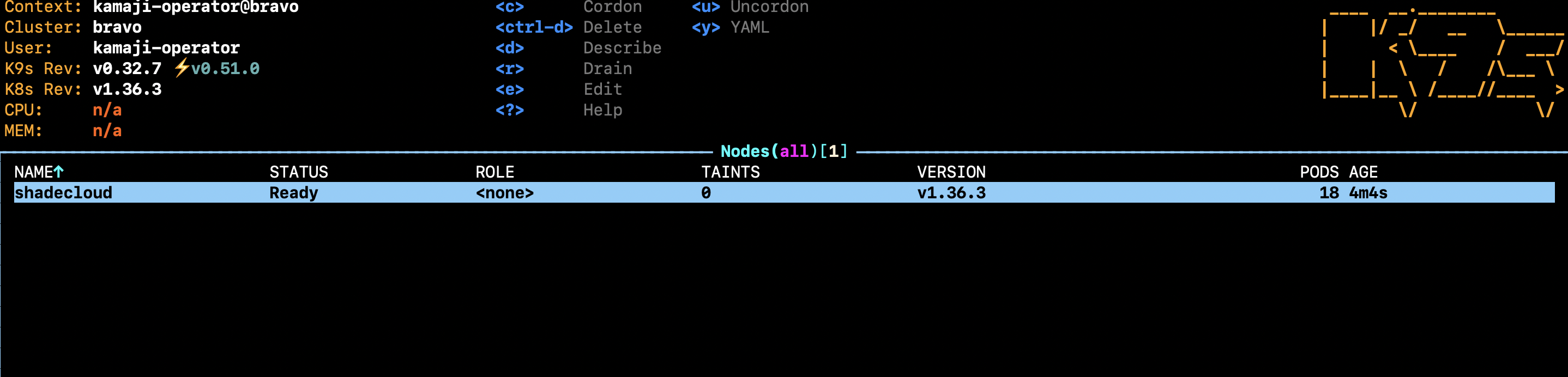
Expect Ready on v1.36.3, three control plane pods and ok. Use the full resource name: on this cluster, tcp means something else.
Step 3: Join the H100 nodes#
Each GPU server joins its own tenant with yaki: h100-a joins alpha, h100-b joins bravo.
On the GPU server, stop Docker and containerd (yaki installs its own), install yaki’s tools and set the kubelet node IP:
On h100-a:
sudo systemctl disable --now docker.service docker.socket containerd.service
sudo apt-get update
sudo apt-get install -y conntrack socat ebtables ethtool wget
sudo mkdir -p /etc/sysconfig
echo 'KUBELET_EXTRA_ARGS=--node-ip=189.1.169.29' | sudo tee /etc/sysconfig/kubelet
curl -sk https://49.12.169.244:16443/healthz    # must print ok
On h100-b, the same with its own IP and bravo’s port:
sudo systemctl disable --now docker.service docker.socket containerd.service
sudo apt-get update
sudo apt-get install -y conntrack socat ebtables ethtool wget
sudo mkdir -p /etc/sysconfig
echo 'KUBELET_EXTRA_ARGS=--node-ip=51.159.163.201' | sudo tee /etc/sysconfig/kubelet
curl -sk https://49.12.169.244:26443/healthz    # must print ok
On your machine, create a two-hour bootstrap token and print the three values yaki needs:
export KUBECONFIG=alpha.kubeconfig

ID=$(LC_ALL=C tr -dc a-z0-9 </dev/urandom | head -c6)
SECRET=$(LC_ALL=C tr -dc a-z0-9 </dev/urandom | head -c16)

kubectl create secret generic bootstrap-token-$ID -n kube-system \
  --type=bootstrap.kubernetes.io/token \
  --from-literal=token-id=$ID --from-literal=token-secret=$SECRET \
  --from-literal=expiration=$(date -u -v+2H +%Y-%m-%dT%H:%M:%SZ) \
  --from-literal=usage-bootstrap-authentication=true \
  --from-literal=usage-bootstrap-signing=true \
  --from-literal=auth-extra-groups=system:bootstrappers:kubeadm:default-node-token

CI=$(kubectl get cm cluster-info -n kube-public -o jsonpath='{.data.kubeconfig}')
echo "JOIN_URL=$(echo "$CI" | awk '/server:/{sub("https://","",$2); print $2}')"
echo "JOIN_TOKEN=$ID.$SECRET"
echo "JOIN_TOKEN_CACERT_HASH=sha256:$(echo "$CI" | awk '/certificate-authority-data/{print $2}' | base64 -d | openssl x509 -pubkey -noout | openssl pkey -pubin -outform der | openssl dgst -sha256 -r | cut -d' ' -f1)"
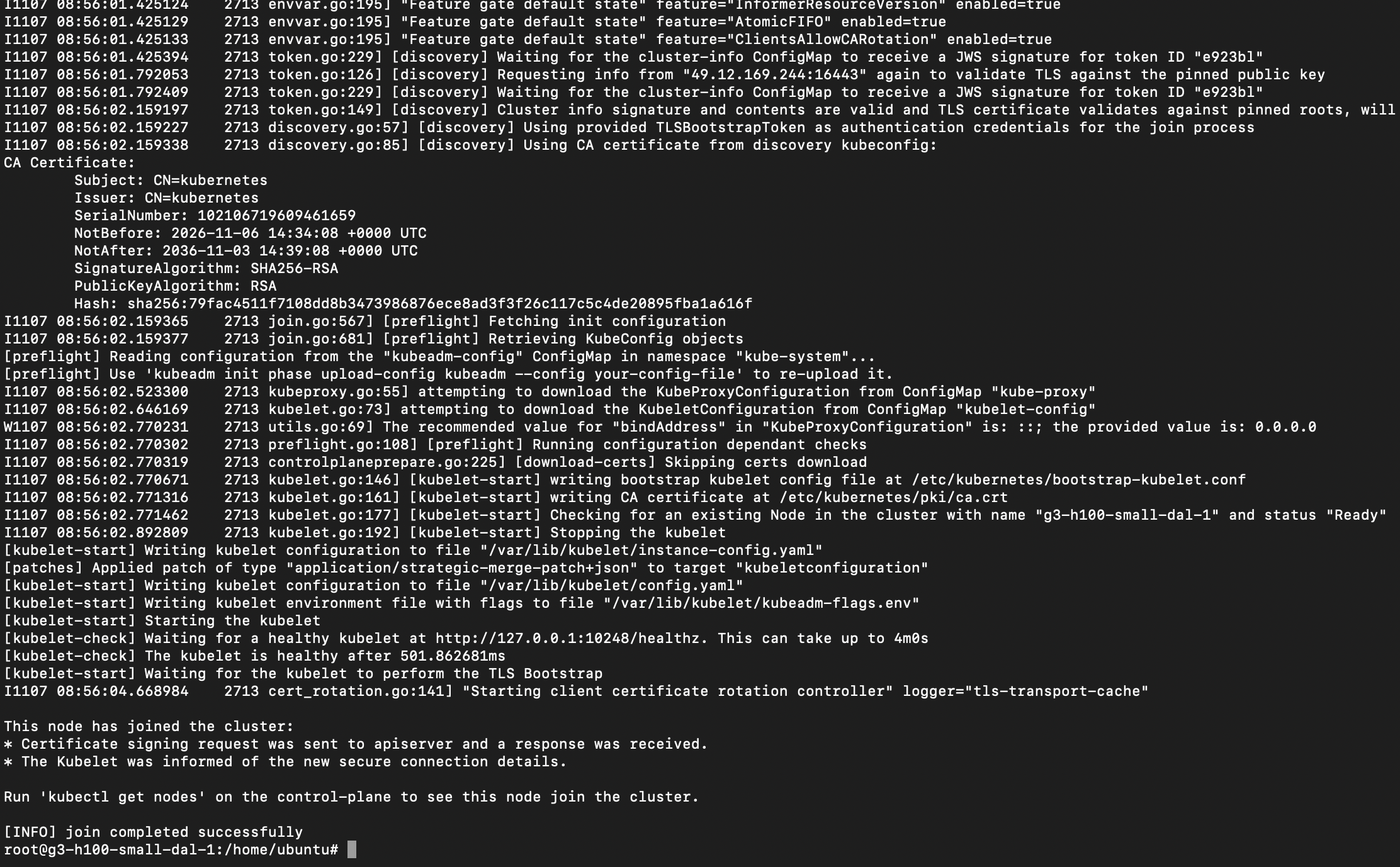
On the GPU server, join:
curl -sfL https://goyaki.clastix.io | sudo KUBERNETES_VERSION=v1.36.3 \
  JOIN_URL=49.12.169.244:16443 \
  JOIN_TOKEN=<JOIN_TOKEN> \
  JOIN_TOKEN_CACERT_HASH=<JOIN_TOKEN_CACERT_HASH> \
  bash -s join
Run the same token and join commands for h100-b with bravo.kubeconfig.
Step 4: Install the stack in each tenant#
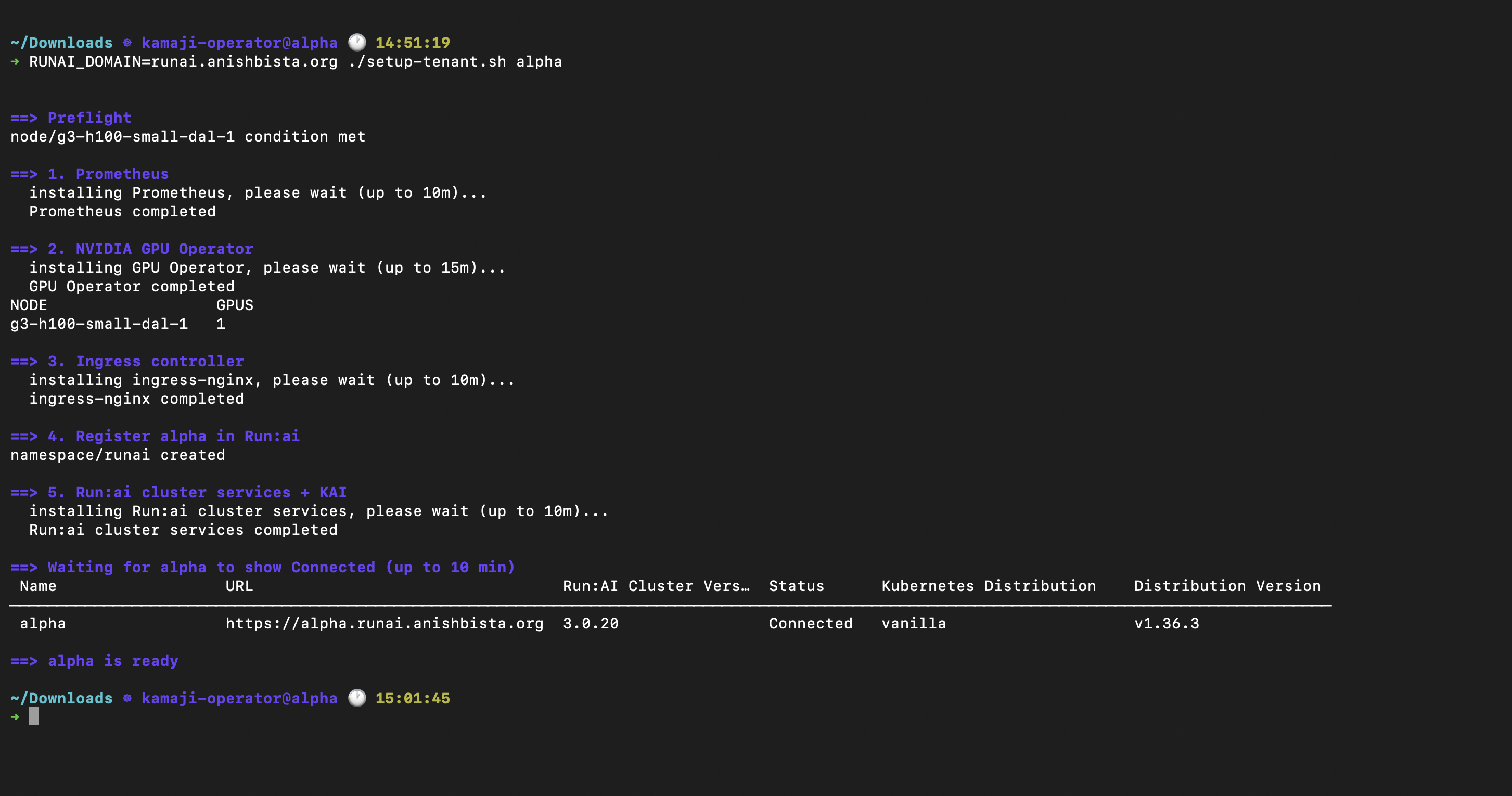
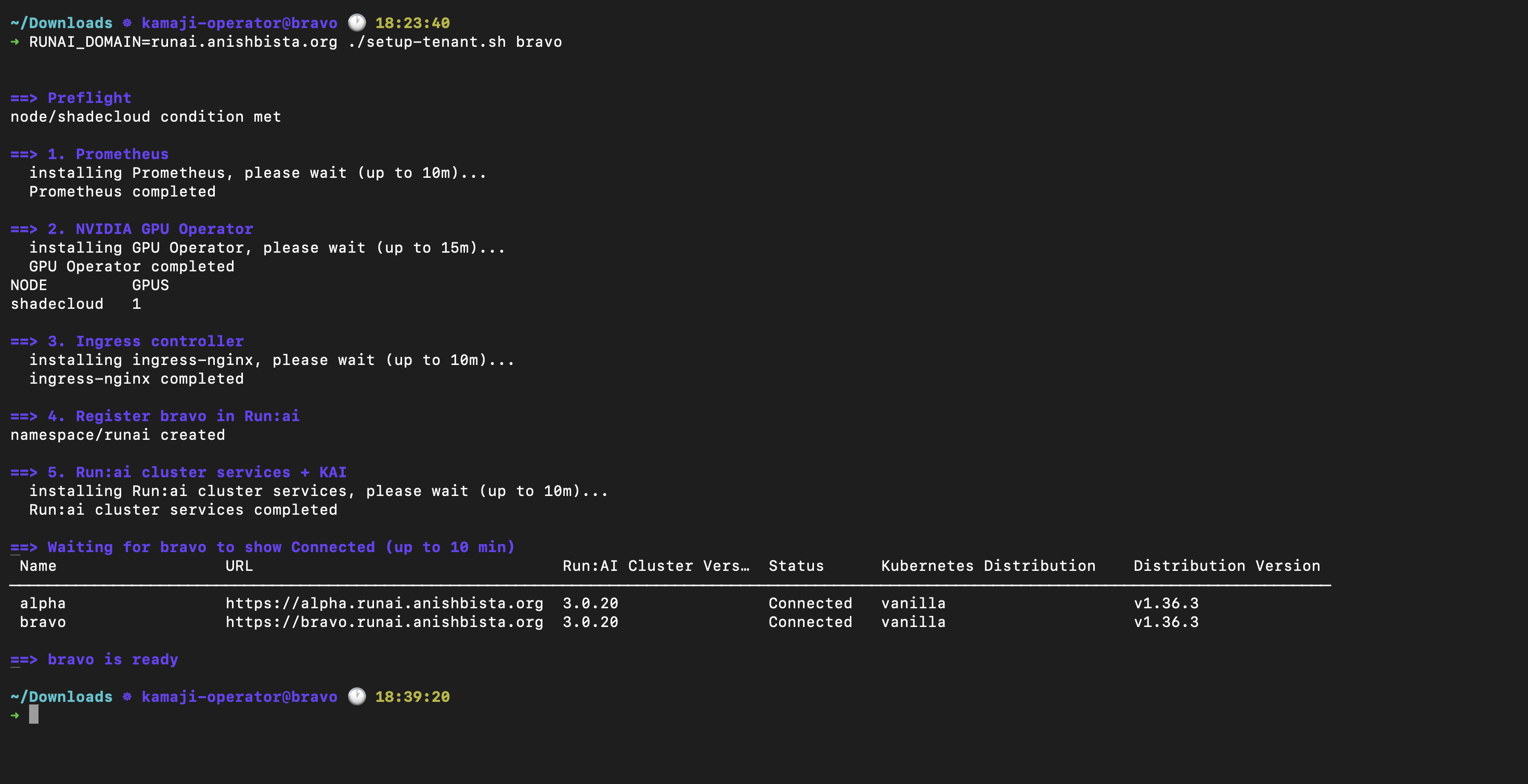
One script installs Prometheus, the GPU Operator, ingress-nginx and the Run:ai cluster services with KAI, and registers the tenant in Run:ai. It’s safe to rerun. Leave GPU_DRIVER_VERSION empty when the server already has a driver, as the Latitude ones do.
setup-tenant.sh
cat > setup-tenant.sh <<'EOF'
#!/usr/bin/env bash
# usage: RUNAI_DOMAIN=runai.anishbista.org ./setup-tenant.sh <tenant>
#
# Installs Prometheus, the GPU Operator, ingress-nginx and the Run:ai cluster services
# in a Kamaji tenant, and registers it in the Run:ai control plane.
# Safe to rerun: every step skips or repairs what is already there.
#
# env: RUNAI_DOMAIN        Run:ai control plane domain (required)
#      RUNAI_CA            path to a private CA certificate; not needed with Let's Encrypt
#      GPU_DRIVER_VERSION  driver for the GPU Operator to install; empty = use the host driver
set -euo pipefail

T=${1:?usage: $0 <tenant>}
: "${RUNAI_DOMAIN:?set RUNAI_DOMAIN}"
RUNAI_URL=https://$RUNAI_DOMAIN
RUNAI_VERSION=3.0.20
GPU_OPERATOR_VERSION=v26.7.1
export KUBECONFIG=$T.kubeconfig

log()  { printf '\n\033[1;34m==> %s\033[0m\n' "$*"; }
fail() { printf '\033[1;31mERROR: %s\033[0m\n' "$*" >&2; exit 1; }
ensure_ns() { kubectl get namespace "$1" >/dev/null 2>&1 || kubectl create namespace "$1"; }

step()  { echo "  installing $1, please wait (up to $2)..."; }
done_() { echo "  $1 completed"; }

# Uninstall a release left in failed/pending state, so the next install starts clean.
helm_clean() {  # release, namespace
  local s
  s=$(helm status "$1" -n "$2" -o json 2>/dev/null | jq -r .info.status || true)
  if [[ -n "$s" && "$s" != "deployed" ]]; then
    echo "release $1 is '$s', uninstalling it first"
    helm uninstall "$1" -n "$2" --wait || true
  fi
}

log "Preflight"
[[ -f "$KUBECONFIG" ]] || fail "$KUBECONFIG not found"
kubectl get nodes -o name | grep -q . || fail "$T has no nodes: join a worker first"
kubectl wait node --all --for=condition=Ready --timeout=5m
runai cluster list >/dev/null 2>&1 || fail "runai CLI not logged in"

log "1. Prometheus"
helm repo add prometheus-community https://prometheus-community.github.io/helm-charts >/dev/null 2>&1 || true
helm_clean prometheus-operator monitoring
step Prometheus 10m
helm upgrade --install prometheus-operator prometheus-community/kube-prometheus-stack \
  -n monitoring --create-namespace \
  --set grafana.enabled=false --set alertmanager.enabled=false --set nodeExporter.enabled=false \
  --set prometheus.prometheusSpec.serviceMonitorSelectorNilUsesHelmValues=false \
  --set prometheus.prometheusSpec.podMonitorSelectorNilUsesHelmValues=false \
  --timeout 10m --wait >/dev/null
done_ Prometheus

log "2. NVIDIA GPU Operator"
helm repo add nvidia https://helm.ngc.nvidia.com/nvidia >/dev/null 2>&1 || true
DRIVER=(--set driver.enabled=false)
[[ -n "${GPU_DRIVER_VERSION:-}" ]] && DRIVER=(--set driver.enabled=true --set driver.version="$GPU_DRIVER_VERSION")
helm_clean gpu-operator gpu-operator
step "GPU Operator" 15m
helm upgrade --install gpu-operator nvidia/gpu-operator --version "$GPU_OPERATOR_VERSION" \
  -n gpu-operator --create-namespace "${DRIVER[@]}" \
  --set cdi.nriPluginEnabled=false \
  --set dcgmExporter.serviceMonitor.enabled=true \
  --timeout 15m --wait >/dev/null
for _ in $(seq 90); do  # driver, toolkit and device plugin start in order
  kubectl get nodes -o jsonpath='{range .items[*]}{.status.allocatable.nvidia\.com/gpu}{"\n"}{end}' | grep -q . && break
  sleep 10
done
done_ "GPU Operator"
kubectl get nodes -o 'custom-columns=NODE:.metadata.name,GPUS:.status.allocatable.nvidia\.com/gpu'

# Run:ai publishes its cluster API through an Ingress and reports ServiceIssues until an
# ingress controller sets the Ingress address. Use a NodePort and report the node IP.
log "3. Ingress controller"
helm_clean ingress-nginx ingress-nginx
step ingress-nginx 10m
helm upgrade --install ingress-nginx ingress-nginx --repo https://kubernetes.github.io/ingress-nginx \
  --version 4.12.3 -n ingress-nginx --create-namespace \
  --set controller.service.type=NodePort \
  --set controller.publishService.enabled=false \
  --set controller.admissionWebhooks.enabled=false \
  --set controller.ingressClassResource.default=true \
  --timeout 10m --wait >/dev/null
done_ ingress-nginx

log "4. Register $T in Run:ai"
ensure_ns runai
CA=()
if [[ -n "${RUNAI_CA:-}" ]]; then
  kubectl -n runai get secret runai-ca-cert >/dev/null 2>&1 \
    || kubectl -n runai create secret generic runai-ca-cert --from-file=runai-ca.pem="$RUNAI_CA"
  CA=(--set global.customCA.enabled=true)
fi

TOKEN=$(runai auth get-token -o plaintext)
[[ -n "$TOKEN" ]] || fail "empty Run:ai token"
UUID=$(curl -sk "$RUNAI_URL/v1/k8s/clusters" -H "Authorization: Bearer $TOKEN" \
  | jq -r --arg n "$T" '(if type=="array" then . else (.clusters // .items // []) end)[]
                        | select(.name==$n) | .uuid' | head -1)
if [[ -z "$UUID" || "$UUID" == null ]]; then
  UUID=$(curl -sk -X POST "$RUNAI_URL/v1/k8s/clusters" \
    -H "Authorization: Bearer $TOKEN" -H 'Content-Type: application/json' \
    -d "{\"name\": \"$T\"}" | jq -r .uuid)
fi
[[ -n "$UUID" && "$UUID" != null ]] || fail "could not get a cluster UUID for $T"

BOOT=$(curl -sk -G "$RUNAI_URL/api/v1/clusters/$UUID/cluster-install-info" \
  --data-urlencode version=$RUNAI_VERSION -H "Authorization: Bearer $TOKEN" | jq -r .bootstrapToken)
[[ -n "$BOOT" && "$BOOT" != null ]] || fail "could not get a bootstrap token for $UUID"

log "5. Run:ai cluster services + KAI"
helm repo add runai https://helm.ngc.nvidia.com/nvidia/runai-oss --force-update >/dev/null
helm_clean runai-cluster runai
step "Run:ai cluster services" 10m
helm upgrade --install runai-cluster runai/runai-cluster -n runai --version $RUNAI_VERSION \
  --set controlPlane.url="$RUNAI_URL" \
  --set controlPlane.bootstrapToken="$BOOT" \
  --set cluster.uid="$UUID" --set cluster.url="https://$T.$RUNAI_DOMAIN" \
  --set clusterConfig.global.ingress.ingressClass=nginx \
  ${CA[@]+"${CA[@]}"} --timeout 10m --wait >/dev/null
done_ "Run:ai cluster services"

log "Waiting for $T to show Connected (up to 10 min)"
for _ in $(seq 60); do
  if runai cluster list 2>/dev/null | grep -E "^\s*$T\s" | grep -q Connected; then
    runai cluster list
    log "$T is ready"
    exit 0
  fi
  sleep 10
done
runai cluster list
fail "$T did not connect; check: kubectl -n runai get pods"
EOF
chmod +x setup-tenant.sh
bash -n setup-tenant.sh && echo "setup-tenant.sh is ready"
Run it per tenant, from the directory with the kubeconfigs:
RUNAI_DOMAIN=runai.anishbista.org ./setup-tenant.sh alpha
RUNAI_DOMAIN=runai.anishbista.org ./setup-tenant.sh bravo
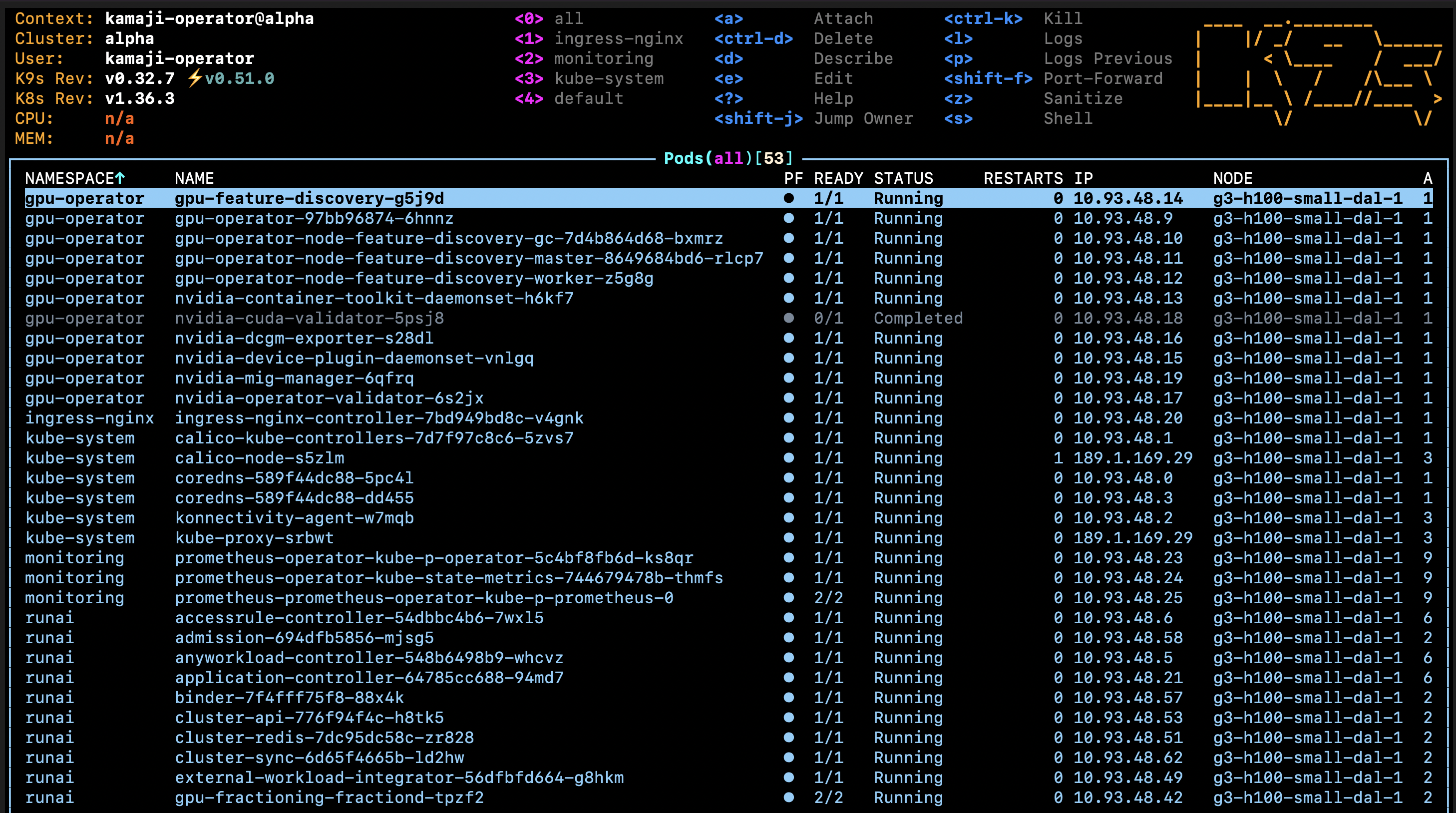
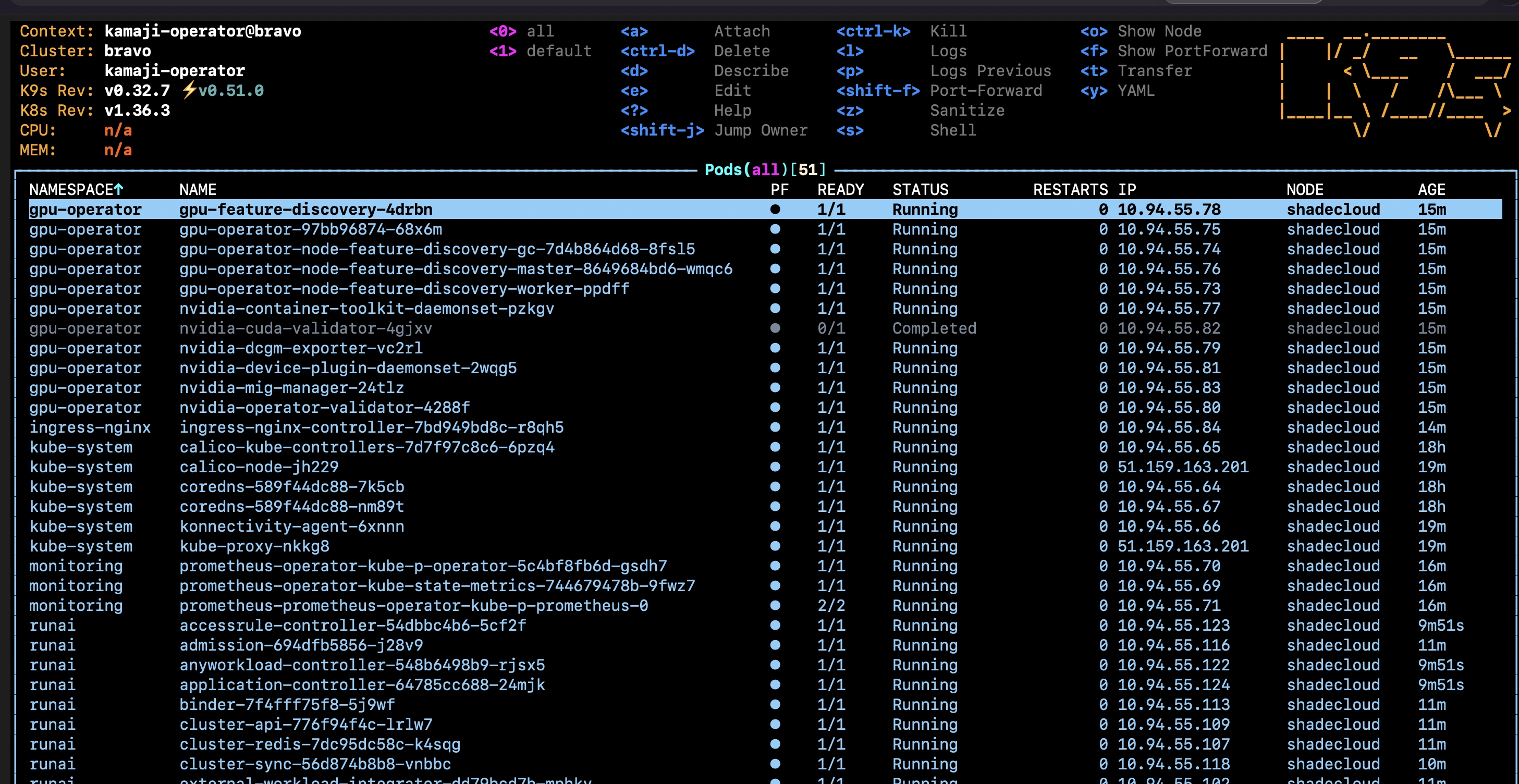
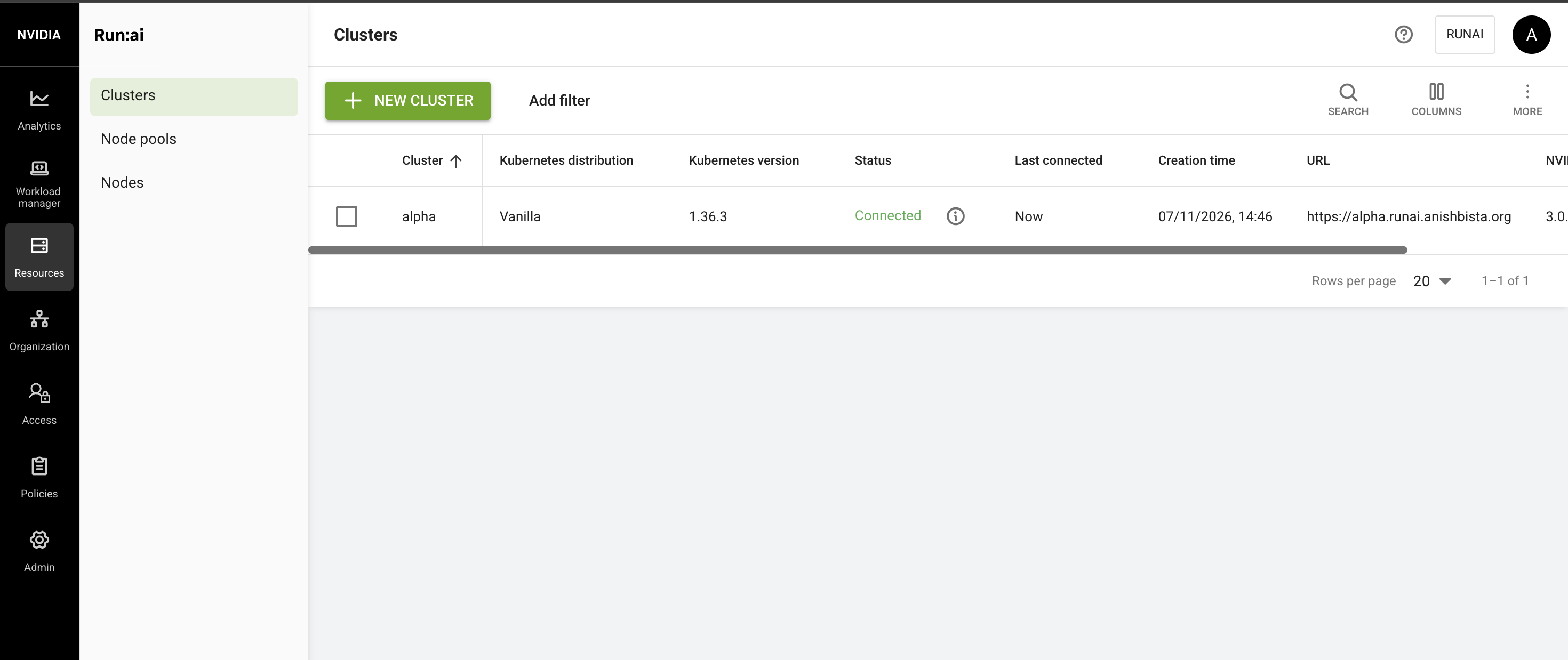
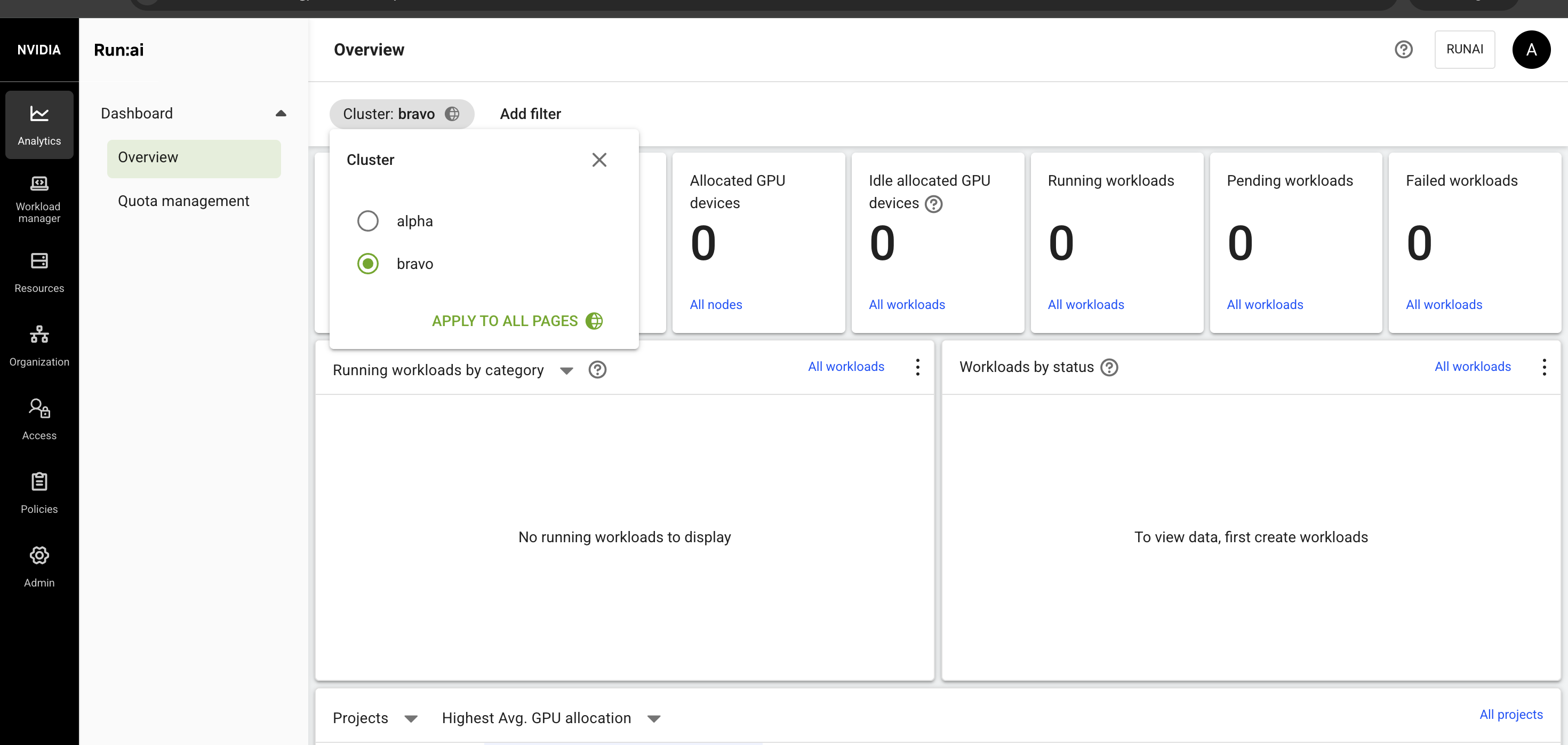
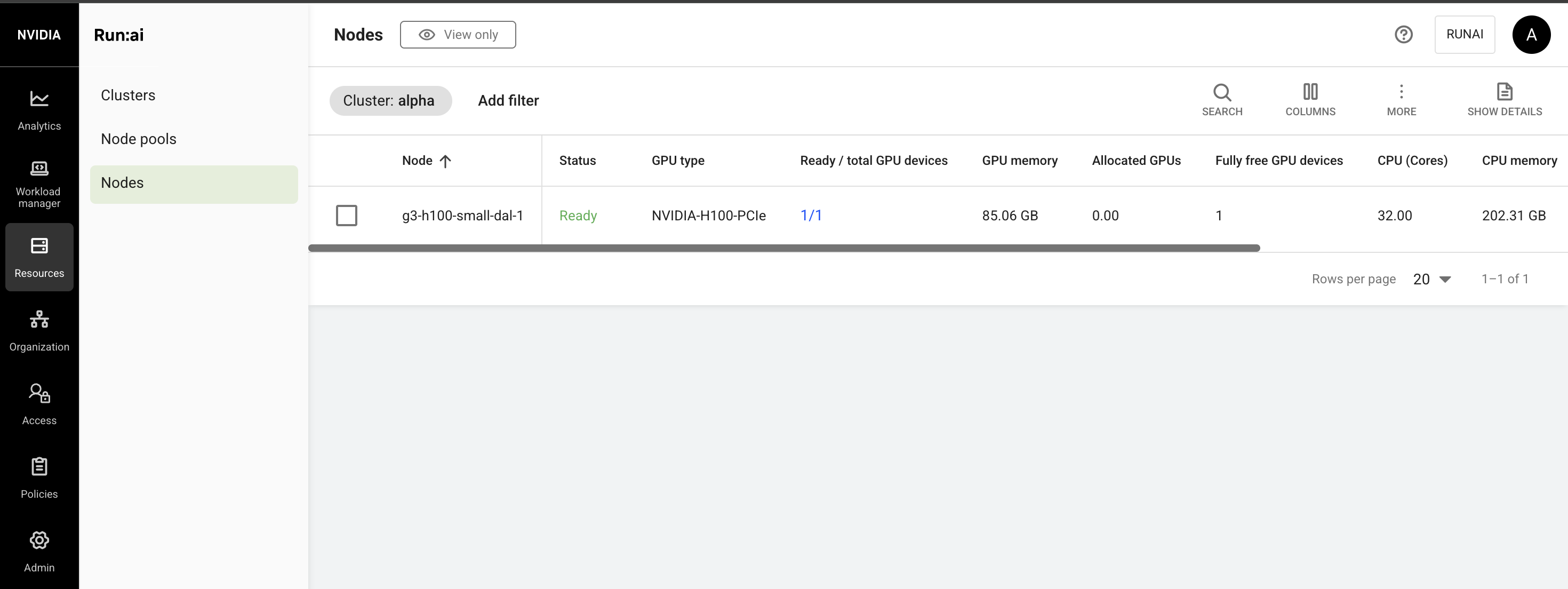
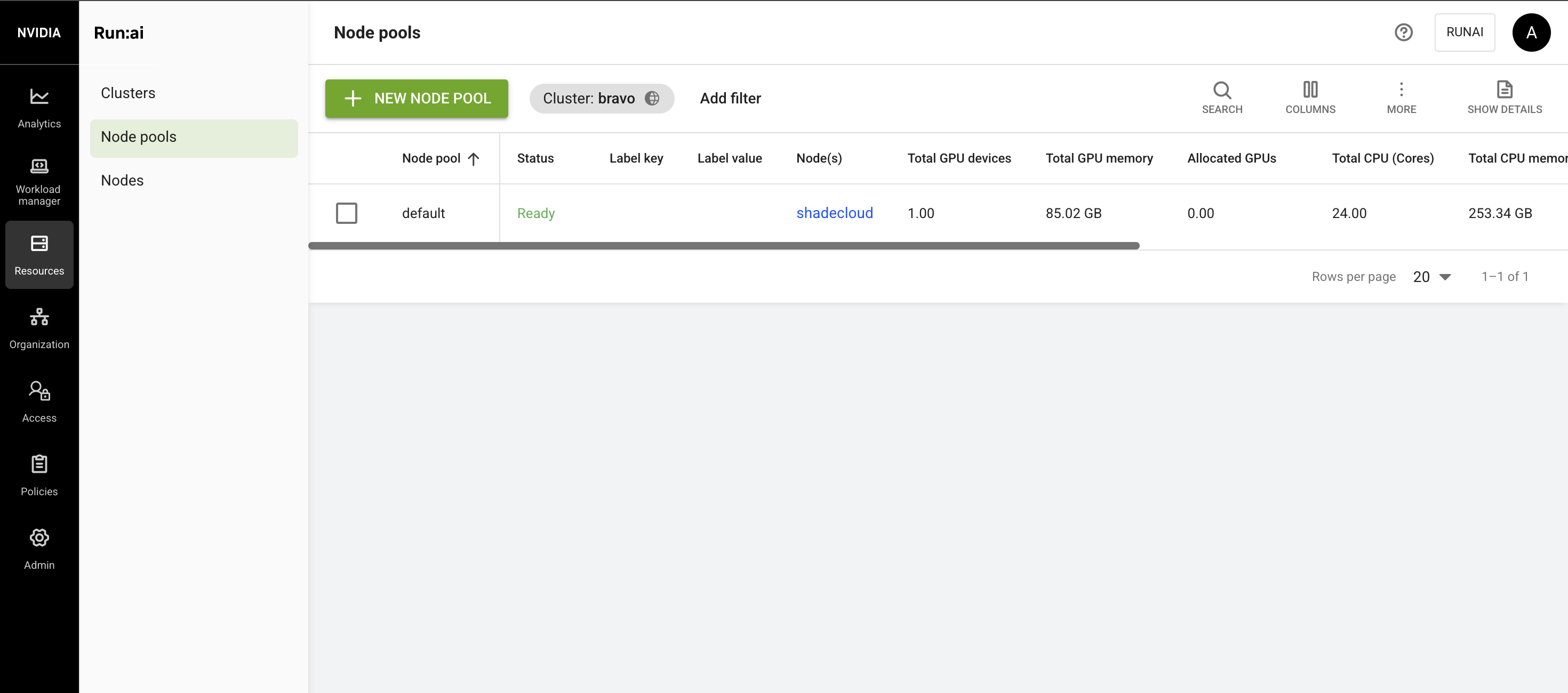
Each tenant should show Connected and see its own H100:
for t in alpha bravo; do
  kubectl --kubeconfig $t.kubeconfig get nodes \
    -o 'custom-columns=NODE:.metadata.name,GPUS:.status.allocatable.nvidia\.com/gpu,MODEL:.metadata.labels.nvidia\.com/gpu\.product'
done

Everything runs on the GPU server:
Test 1: Projects and rules inside a tenant#
In alpha, the one H100 is split into halves with GPU fractions. Two Run:ai features share it:
- Projects: a team with a guaranteed GPU quota that can borrow idle GPUs above it.
- Scheduling rules: limits on nodes, runtime and idle time.
The demo uses the default department. You can create your own departments (Organization → Departments) and set quotas and similar rules at the department level, for all projects in it.
Create two projects#
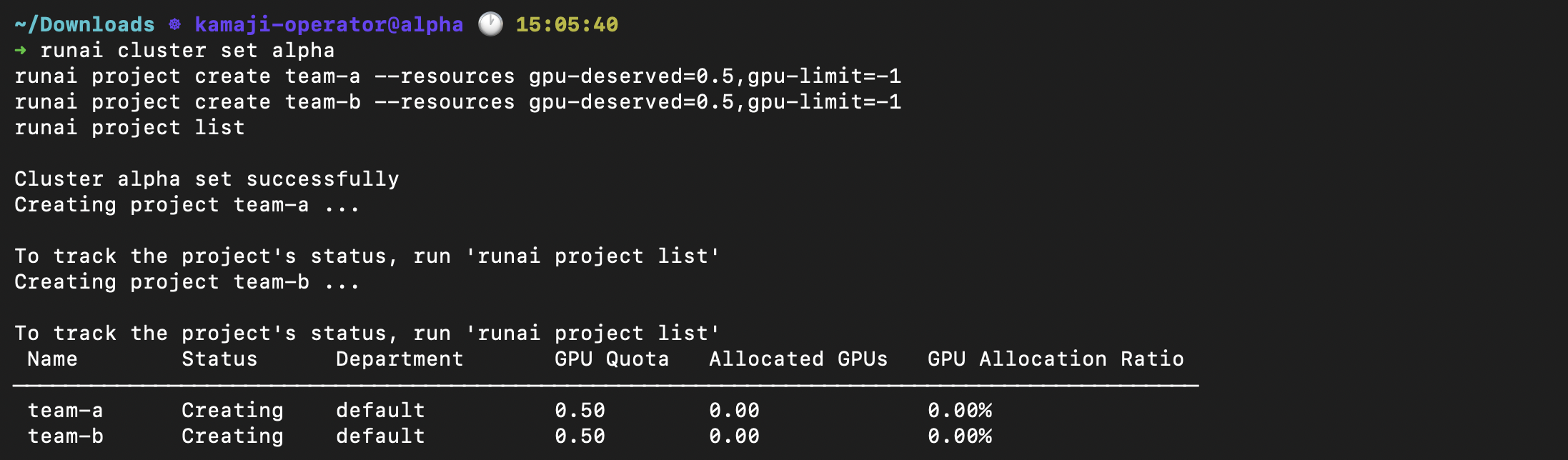
Give each team half a GPU guaranteed, with unlimited borrowing. Set the cluster first:
runai cluster set alpha
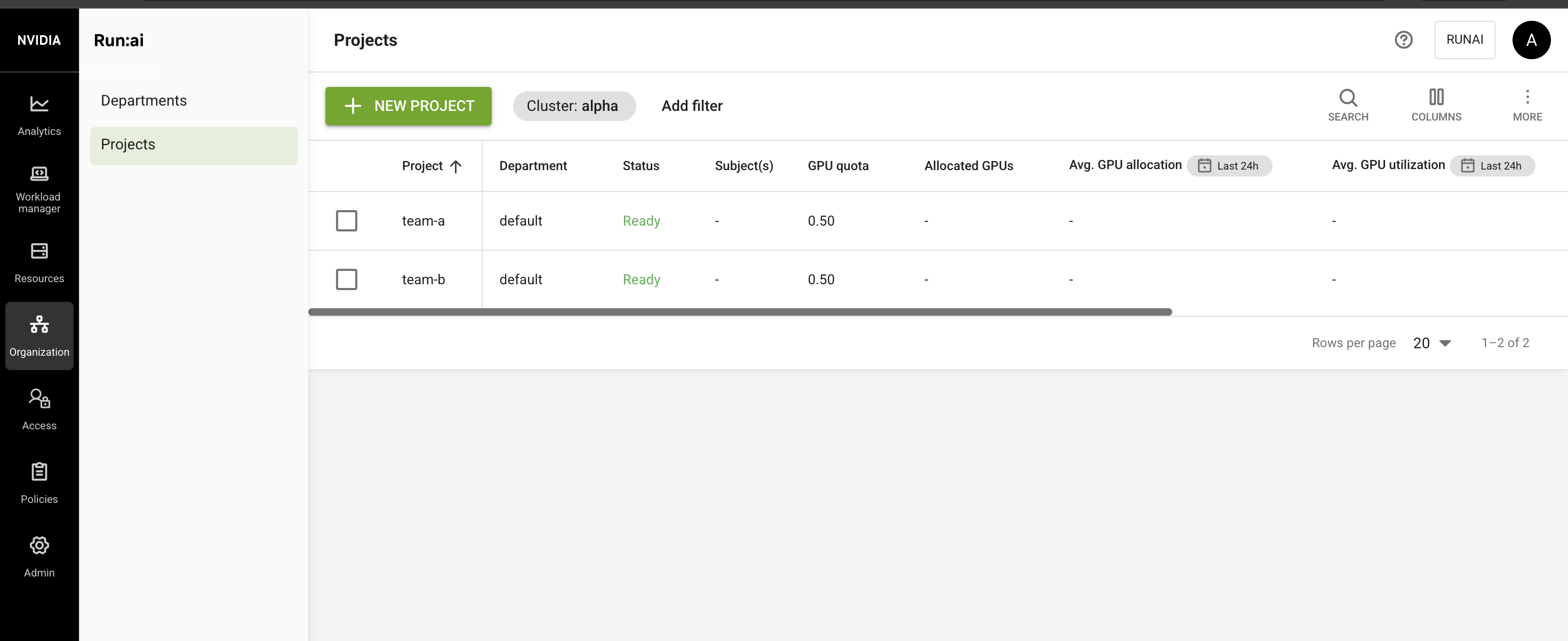
runai project create team-a --resources gpu-deserved=0.5,gpu-limit=-1
runai project create team-b --resources gpu-deserved=0.5,gpu-limit=-1
runai project list
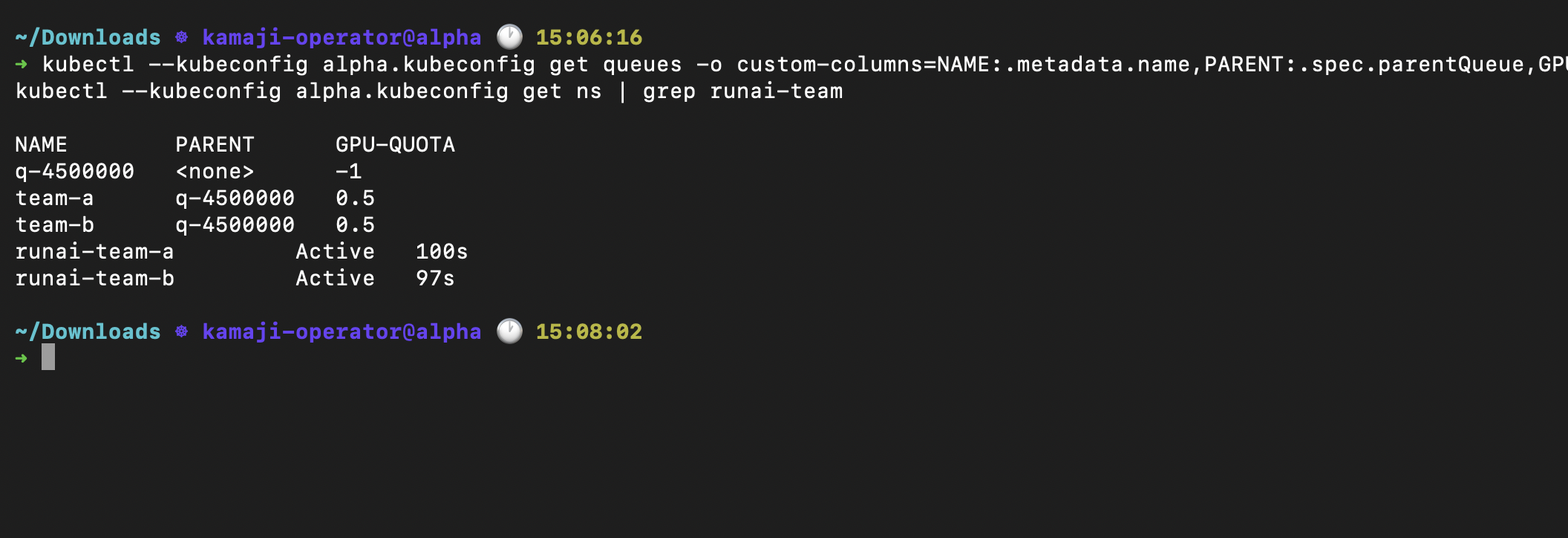
Each project becomes a KAI queue:
kubectl --kubeconfig alpha.kubeconfig get queues -o custom-columns=NAME:.metadata.name,PARENT:.spec.parentQueue,GPU-QUOTA:.spec.resources.gpu.quota
kubectl --kubeconfig alpha.kubeconfig get ns | grep runai-team
Team A is idle, so team B borrows#
Each test workload holds a set amount of GPU memory and multiplies matrices. gpu_job <name> <project> <GiB> submits one at half a GPU:
gpu_job() {
  runai training submit $1 -p $2 -i pytorch/pytorch:2.5.1-cuda12.4-cudnn9-runtime \
    --gpu-portion-request 0.5 --command -- python -c "
import torch
hold = torch.empty($3 * 2**30, dtype=torch.uint8, device='cuda')
print('holding', torch.cuda.memory_allocated() // 2**20, 'MiB', flush=True)
x = torch.randn(8192, 8192, device='cuda')
while True:
    y = x @ x
"
}
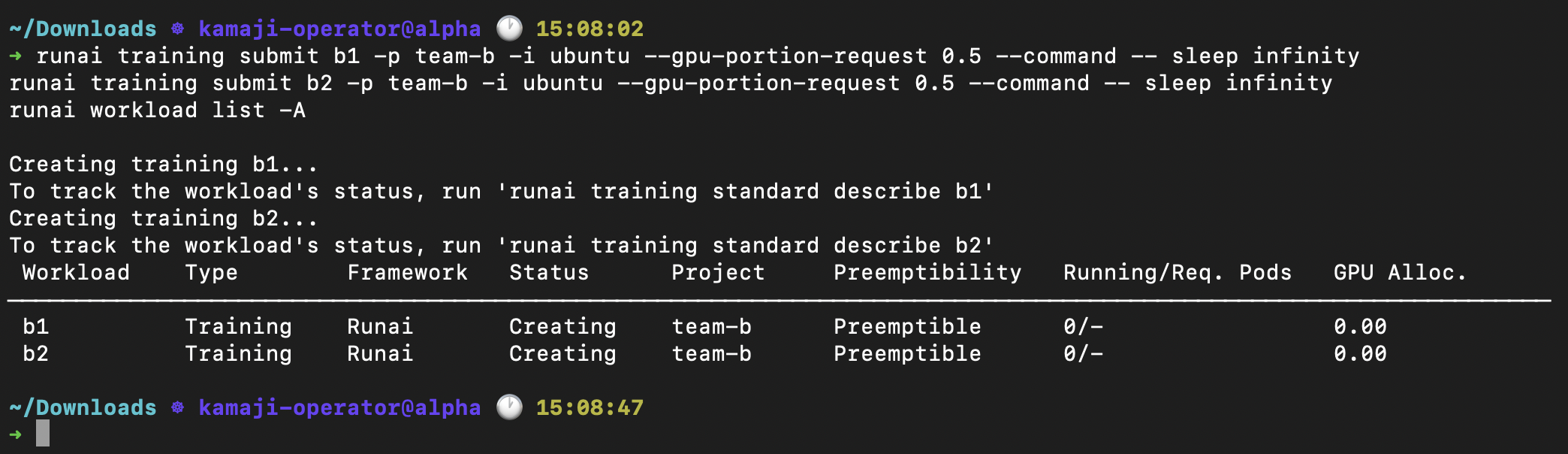
b1 fits team B’s quota, and b2 runs on team A’s idle share:
gpu_job b1 team-b 30
gpu_job b2 team-b 30
runai workload list -A
Check each workload:
kubectl --kubeconfig alpha.kubeconfig get pods -n runai-team-b
kubectl --kubeconfig alpha.kubeconfig logs -n runai-team-b <b1-pod>
kubectl --kubeconfig alpha.kubeconfig exec -n runai-team-b <b1-pod> -- nvidia-smi
kubectl --kubeconfig alpha.kubeconfig exec -n runai-team-b <b2-pod> -- nvidia-smi
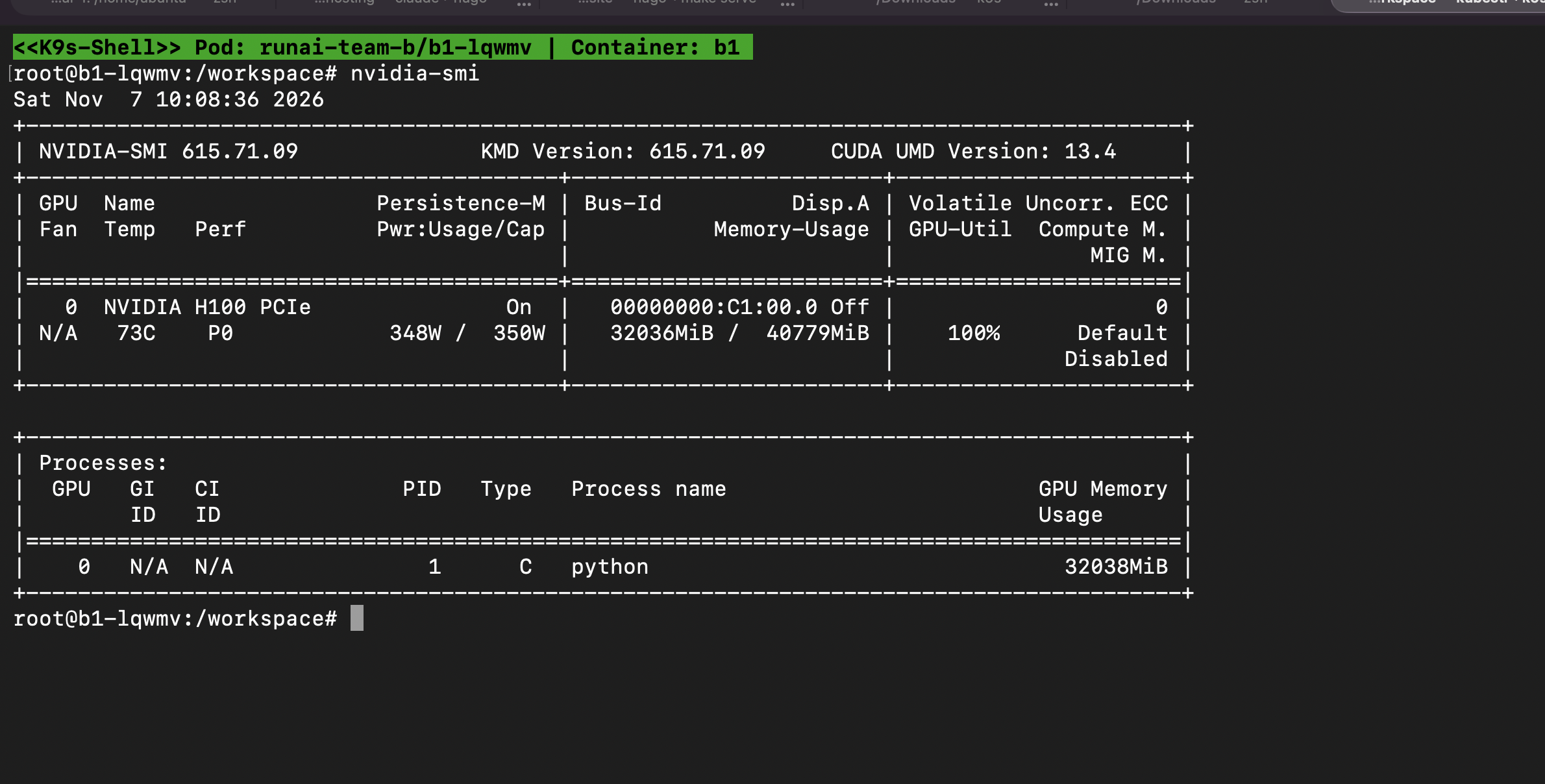
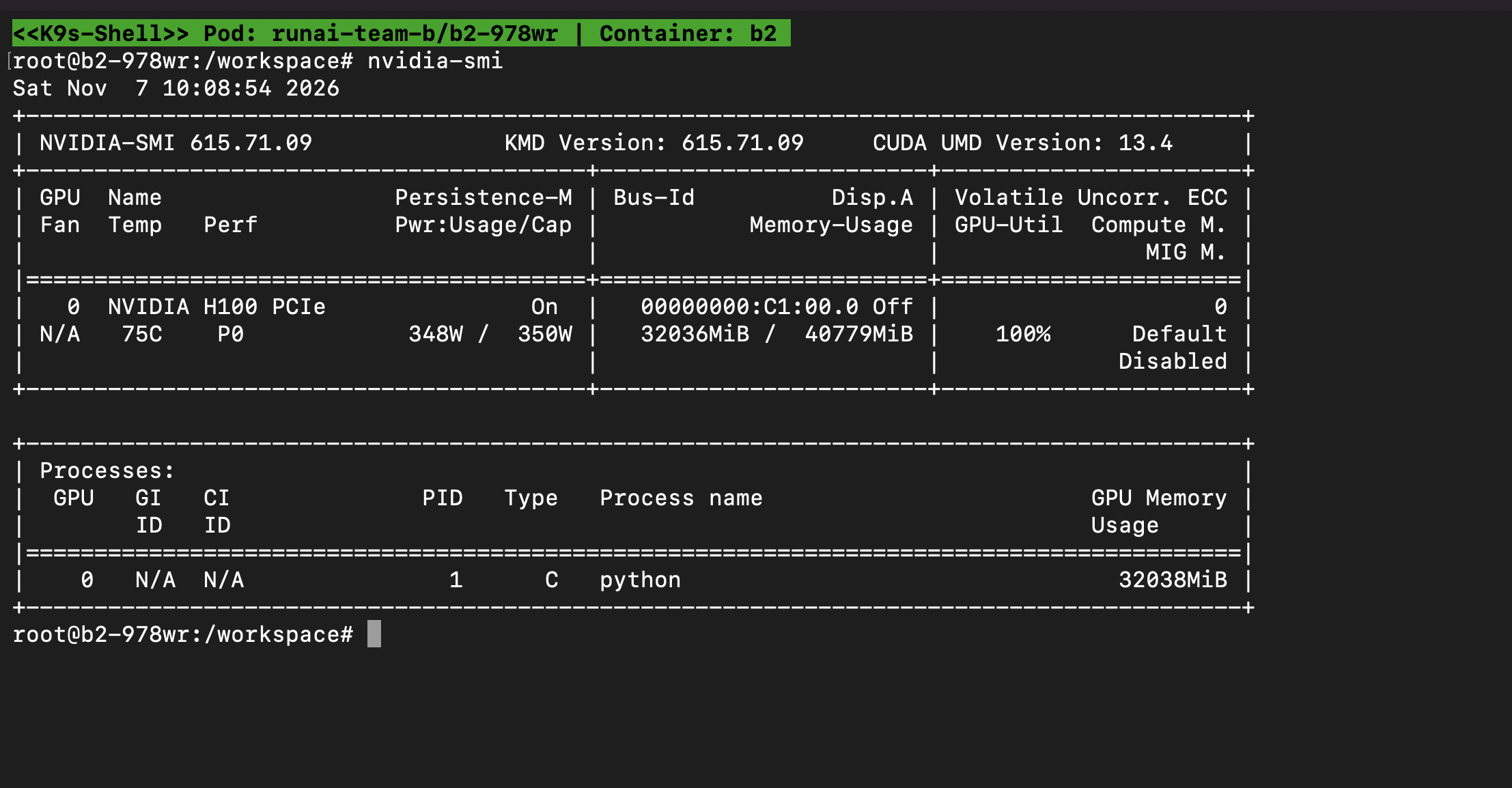
Each half-GPU container sees 40779 of the card’s 81559 MiB:
Under load, each workload holds 32036 MiB and the card runs at 100%:
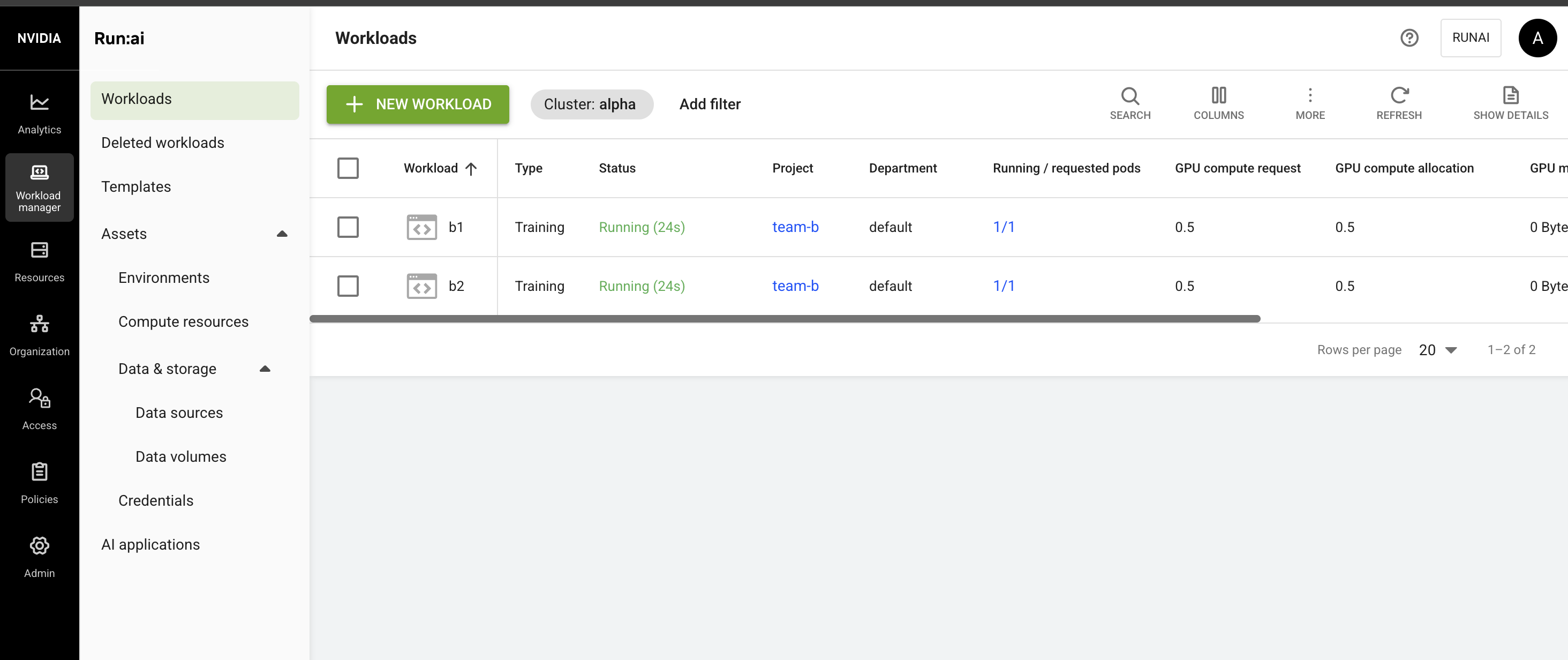
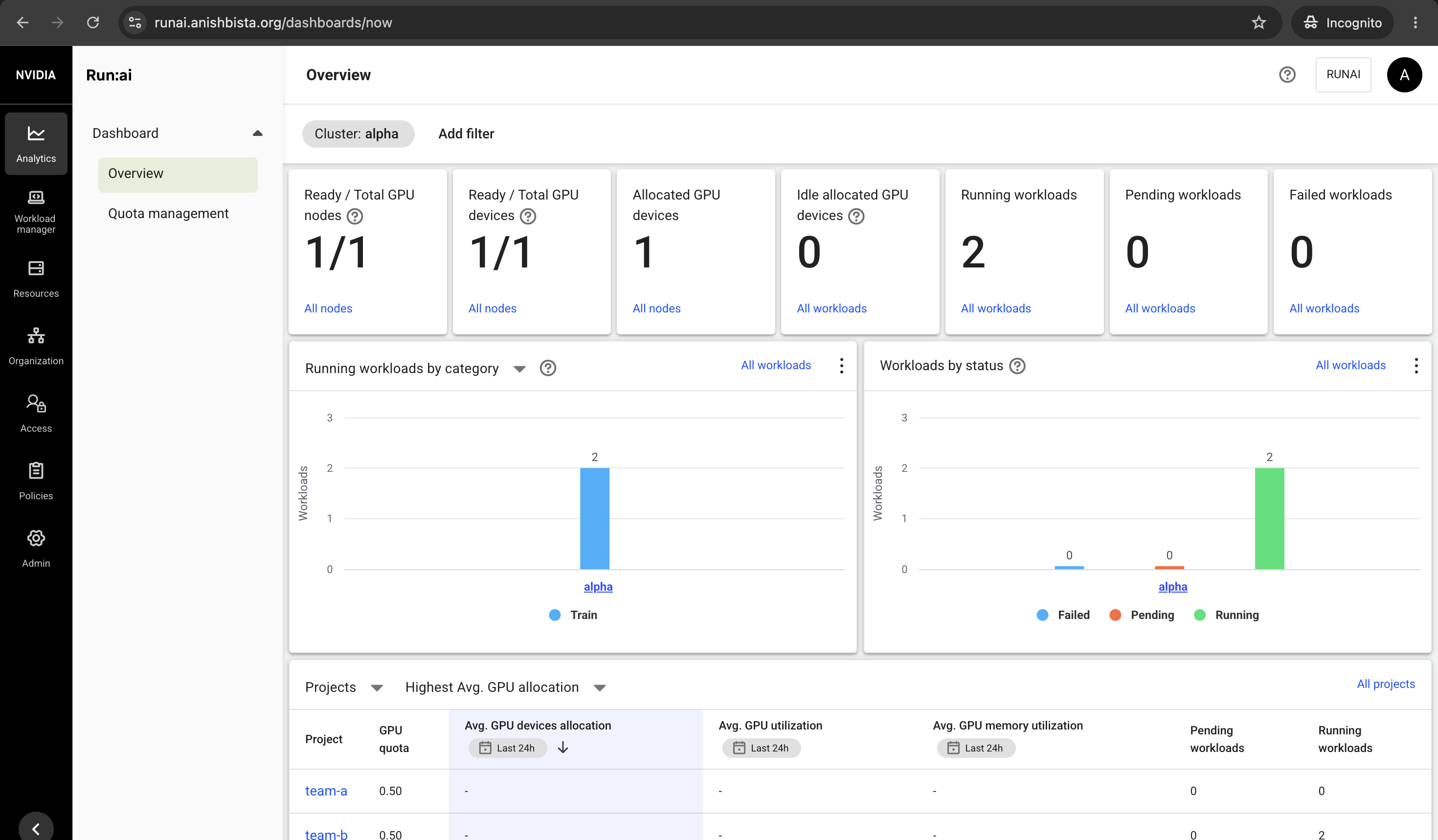
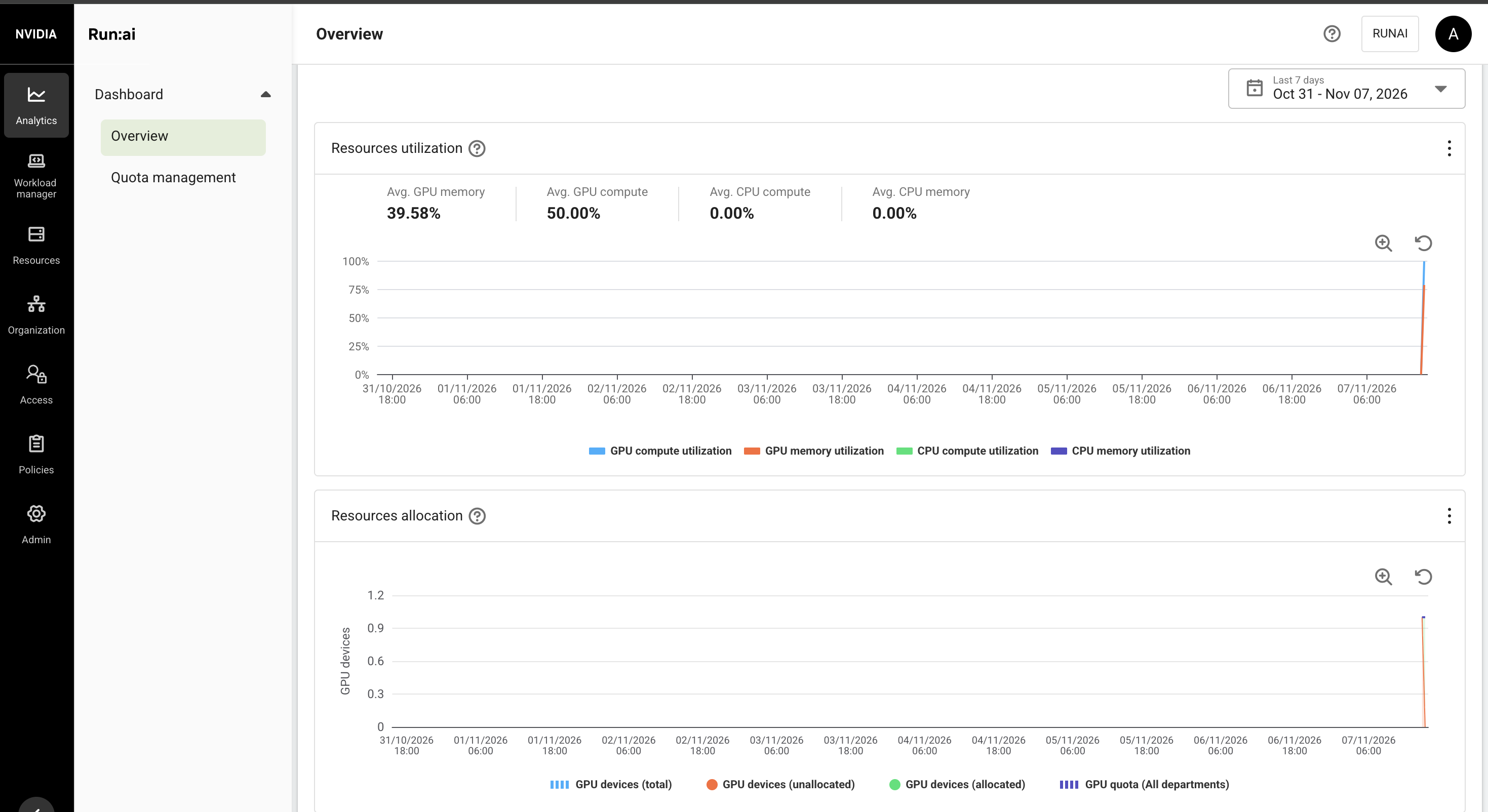
The dashboard shows team-b running two workloads on a 0.5 quota:
Team A takes its share back#
gpu_job a1 team-a 30
runai workload list -A
KAI preempts b2, the job running over team B’s quota. b1 keeps running, and a1 starts within seconds:
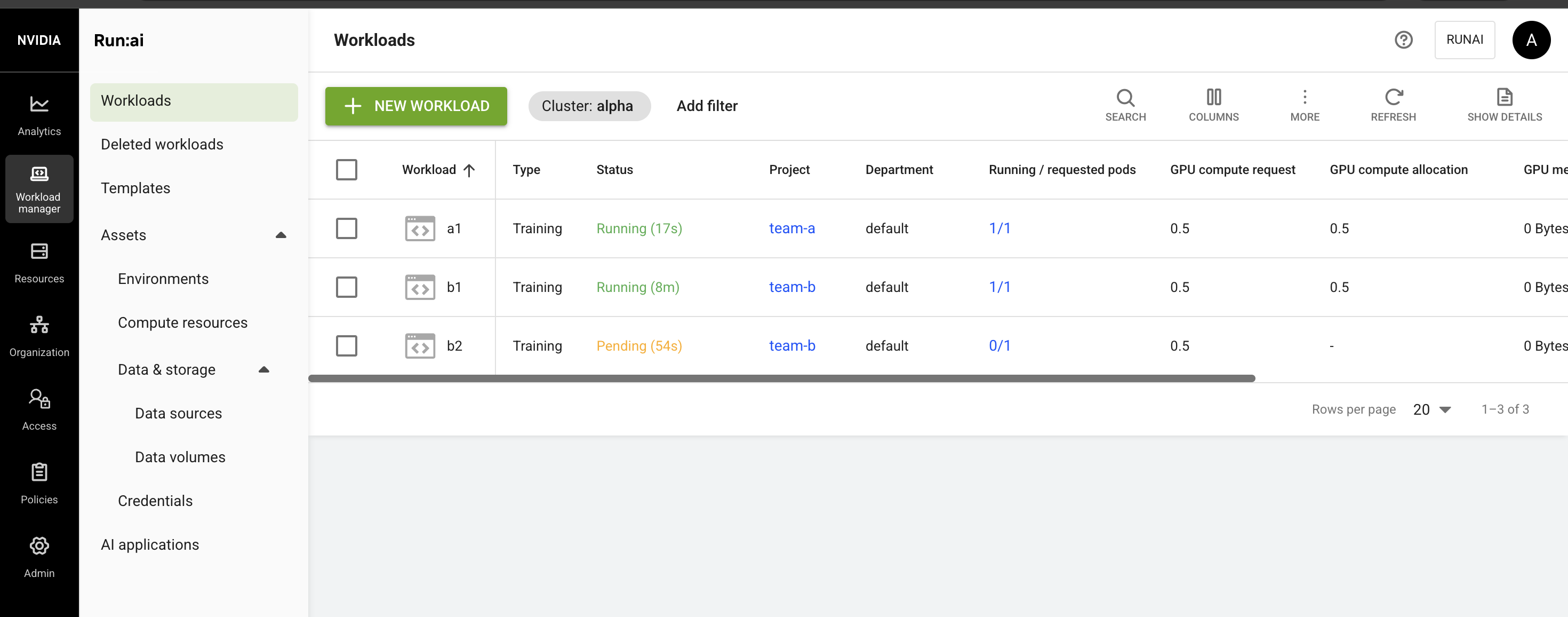
b2 goes back to Pending and runs again when a half frees up:
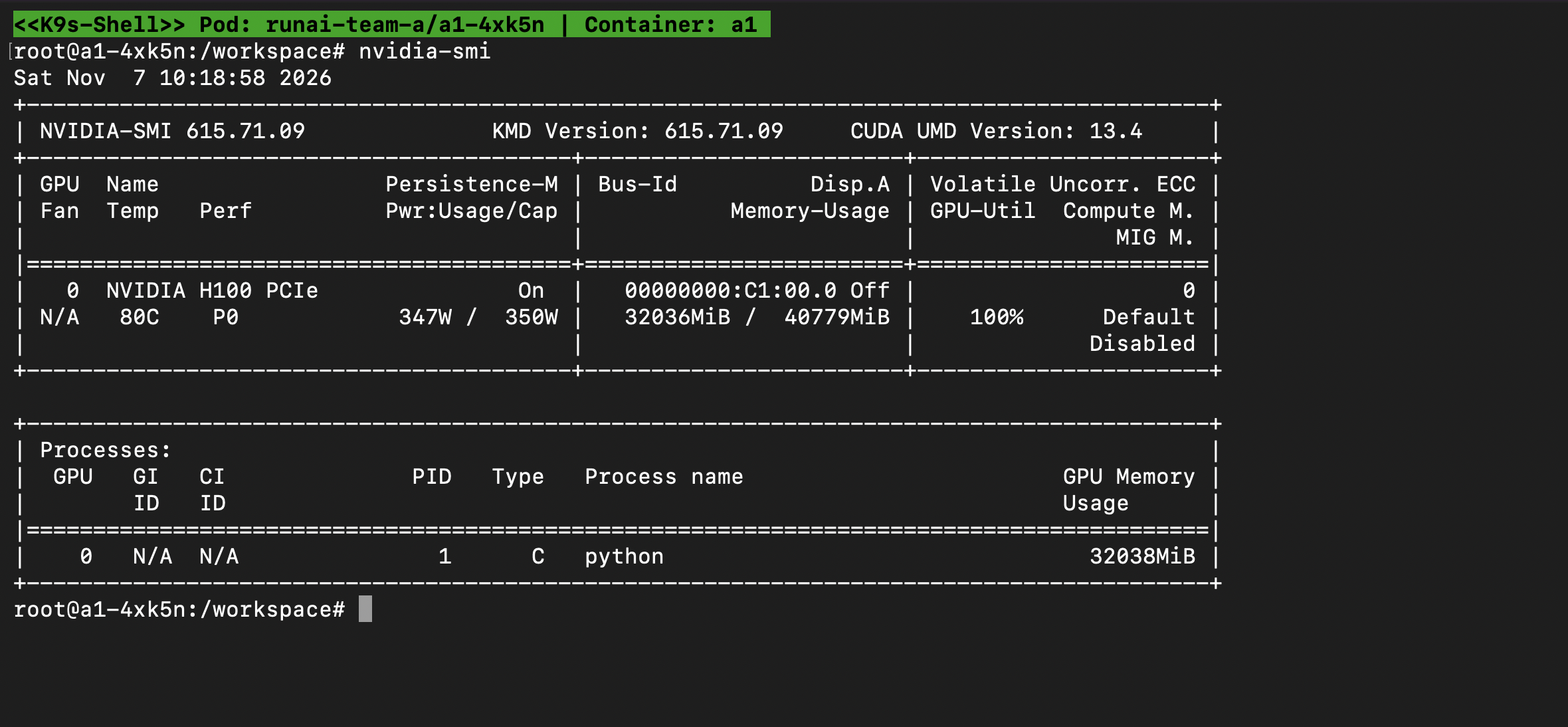
Is the half a hard limit?#
Clear the card, then ask for 50 GB on half a GPU:
runai training delete a1 -p team-a
runai training delete b1 -p team-b
runai training delete b2 -p team-b

gpu_job big team-a 50
runai workload list -p team-a
kubectl --kubeconfig alpha.kubeconfig logs -n runai-team-a <big-pod>
It fails at once:
torch.OutOfMemoryError: CUDA out of memory. Tried to allocate 50.00 GiB.
GPU 0 has a total capacity of 39.82 GiB of which 39.39 GiB is free.
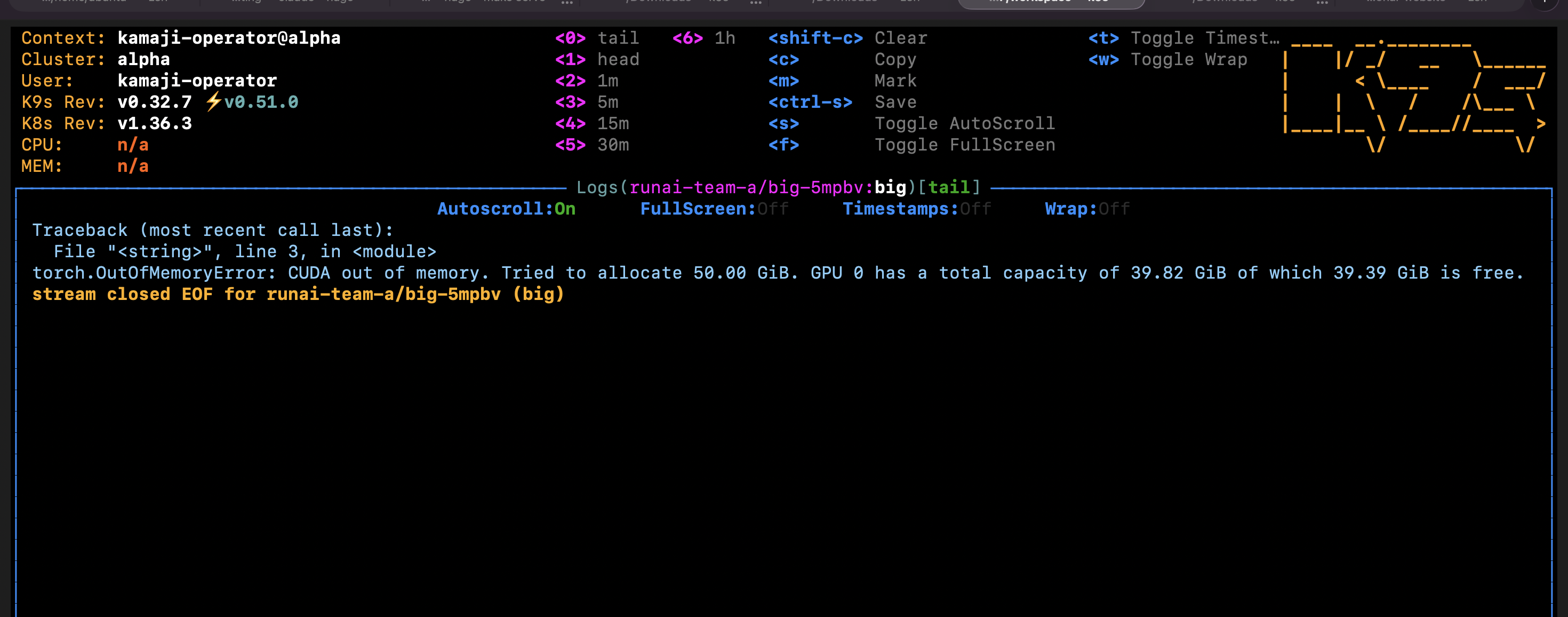
Neither team can take the other’s memory. Every retry fails the same way:
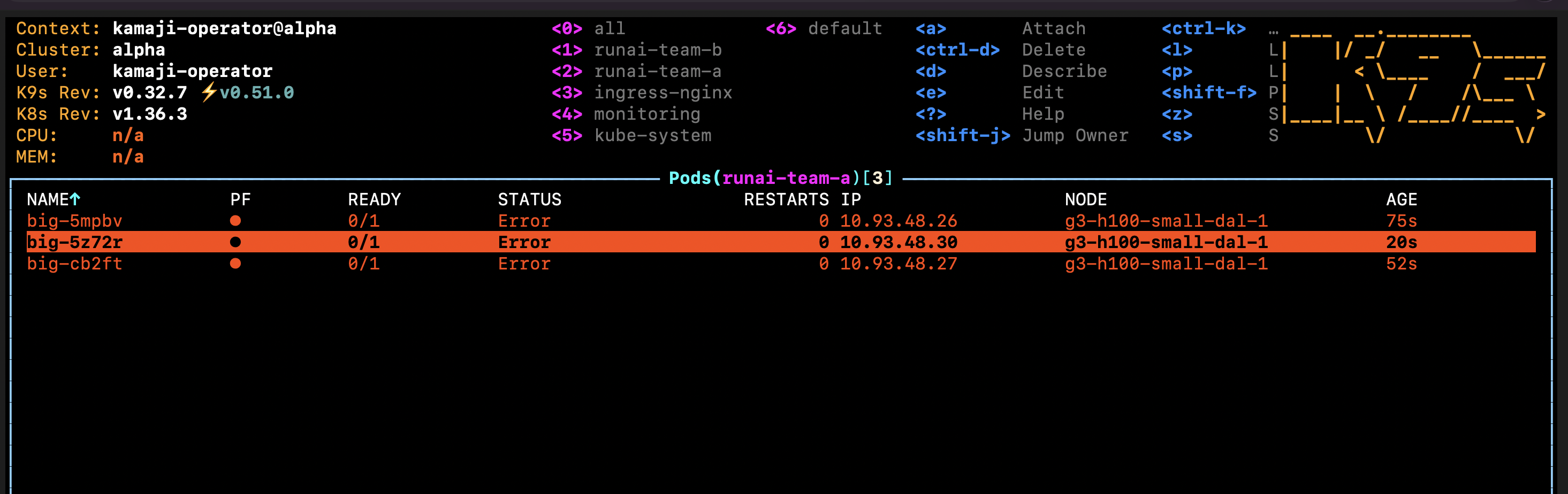
runai training delete big -p team-a
Scheduling rules#
Edit team-a, open Scheduling rules and add:
| Rule | Workload type | Value |
|---|---|---|
| Node type (Affinity) | Training | h100 |
| Workload time limit | Training | 5 minutes |
| Idle GPU timeout | Preemptible workspaces | 5 minutes |
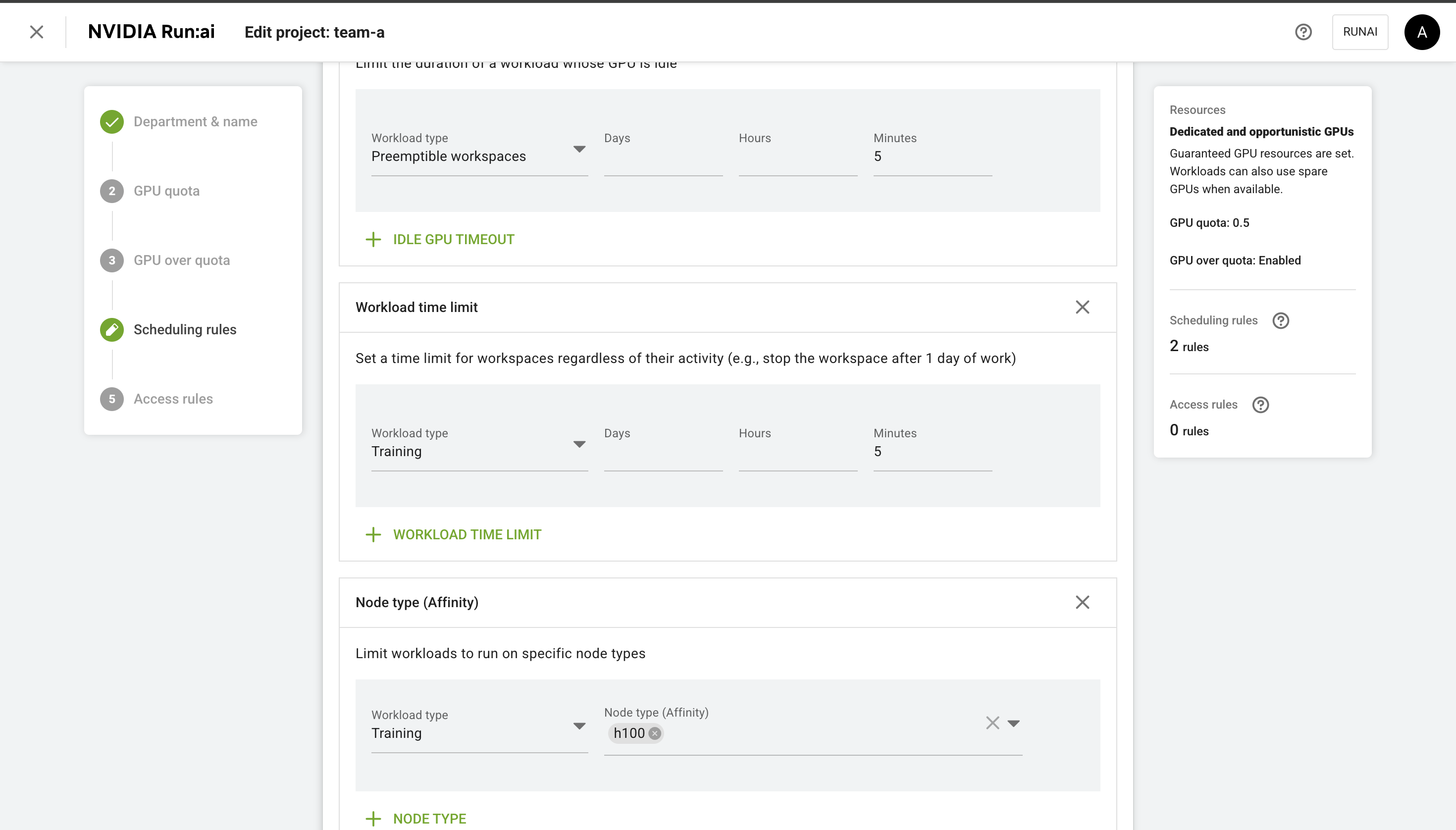
Node type. Run:ai matches the run.ai/type node label. Submit a training before the label exists:
runai training submit a1 -p team-a -i ubuntu -g 1 --command -- sleep infinity
runai workload list -p team-a

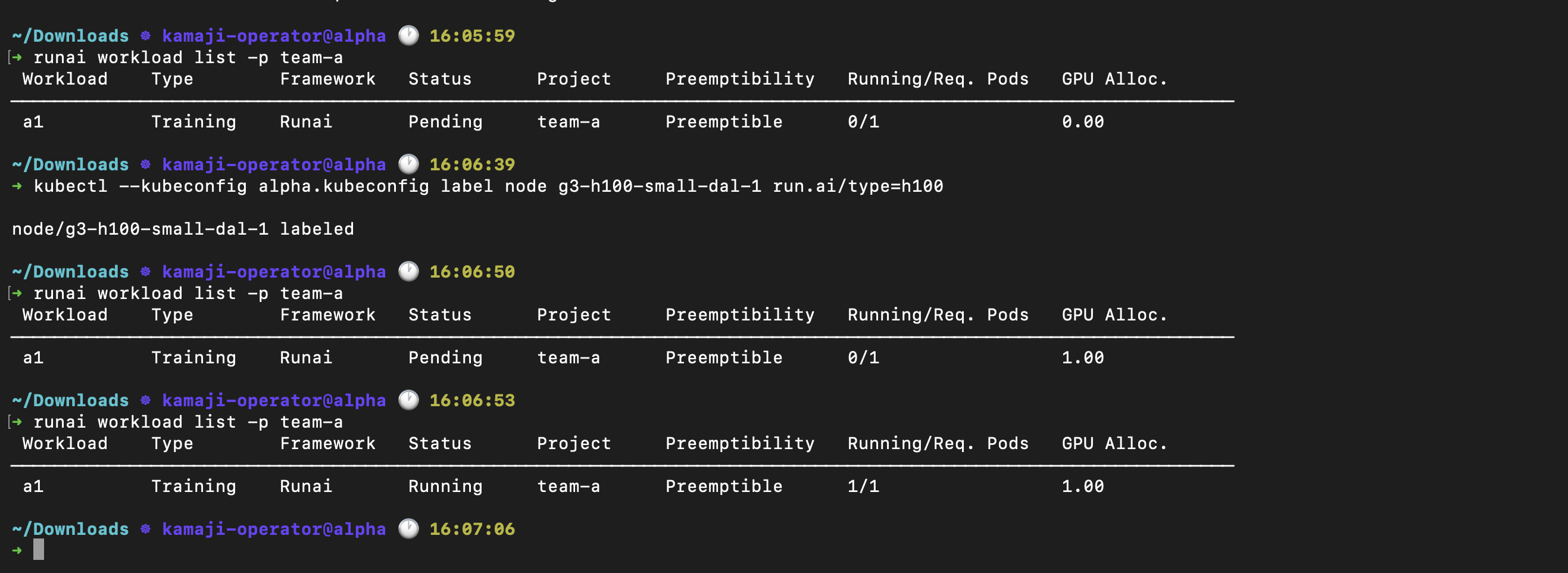
kubectl --kubeconfig alpha.kubeconfig label node g3-h100-small-dal-1 run.ai/type=h100
runai workload list -p team-a
a1 stays Pending, because no node matches:
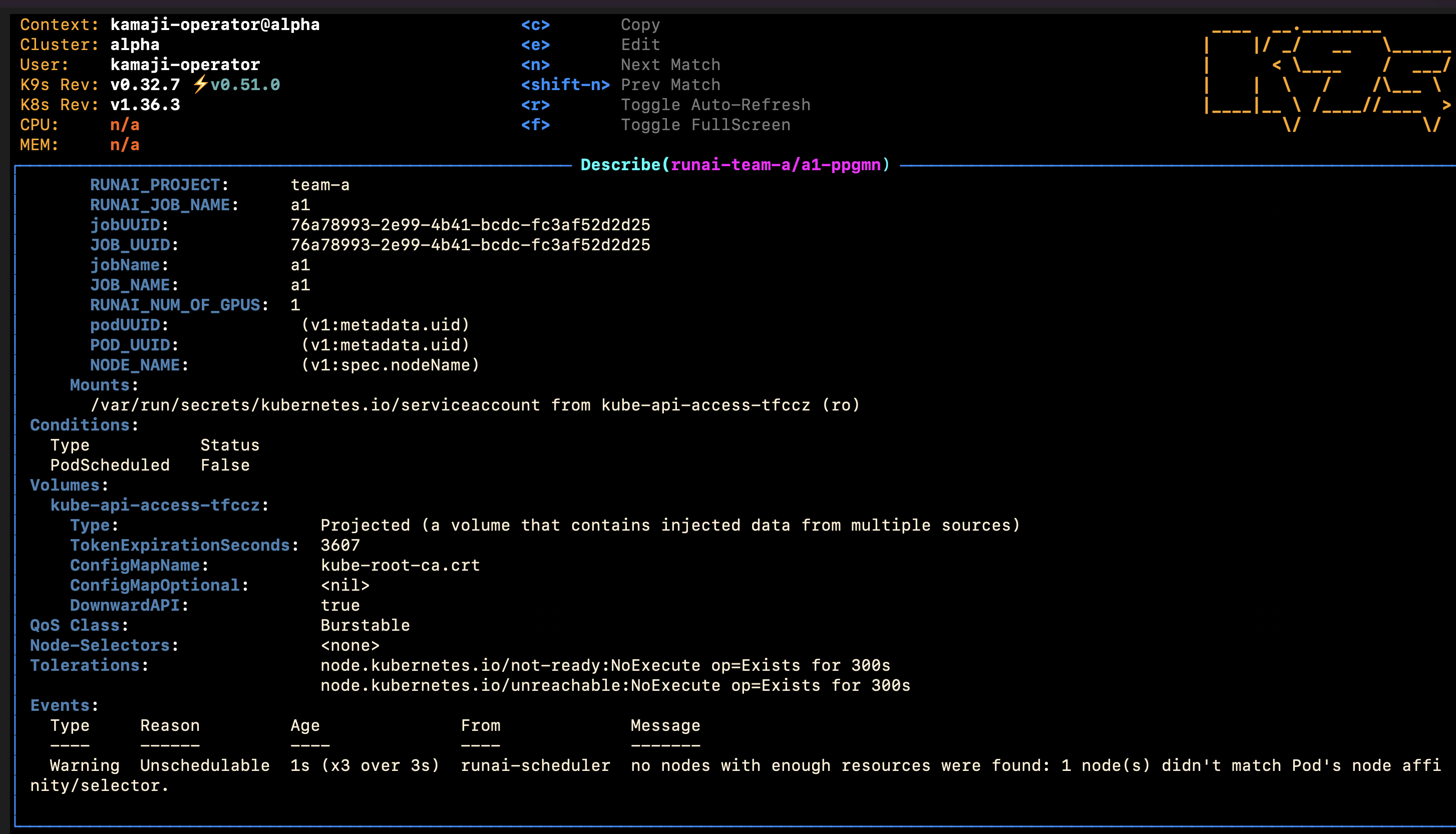
It starts three seconds after the node is labelled:
Set the rule for the right workload type: a rule on Workspace doesn’t apply to trainings.
Workload time limit. Leave a1 running. After five minutes its pod is gone and the GPU is free.
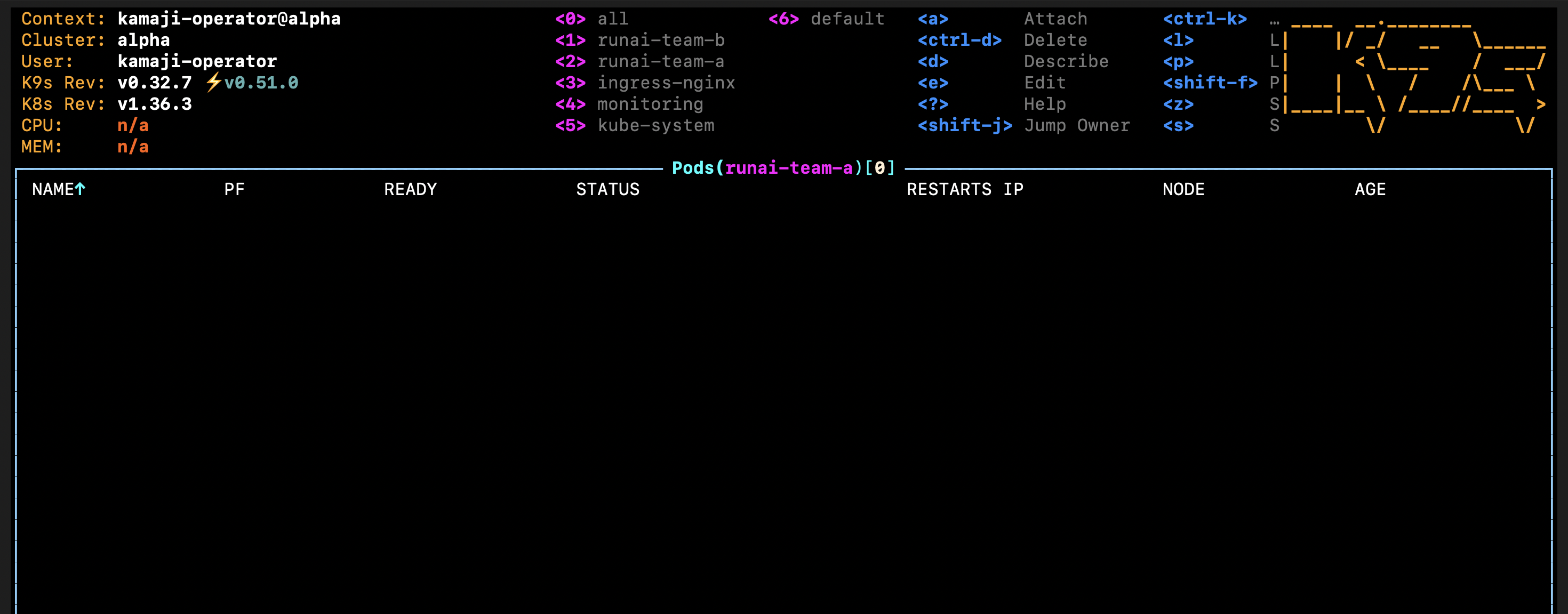
Idle GPU timeout. Once a1 has stopped, submit a workspace that holds a whole GPU and does nothing:
runai workload list -p team-a
runai workspace submit idle1 -p team-a -i ubuntu -g 1 \
  --preemptibility preemptible --command -- sleep infinity
Run:ai stops it after 5 minutes idle:
11:16:50  idle1 Running
11:19:27  WorkloadTimeoutApproaching  ... the job will be terminated in 2 minutes.
11:22:17  idle seconds: 300
11:22:33  WorkloadTimeoutReached      The workload has reached the idle time limitation on the project. Stopping the workload.
11:22:34  Job suspended, pod deleted

The workspace is suspended, not deleted, so its owner can restart it.
The idle timeout only worked on a whole GPU. A half-GPU workspace was still running after 7 minutes at 0%.
Test 2: Isolation between tenants#
alpha and bravo have one H100 each. Can a busy alpha use bravo’s idle GPU?
Fill alpha’s only GPU, then ask for one more:
runai cluster set alpha
runai training submit b1 -p team-b -i ubuntu -g 1 --command -- sleep infinity
runai training submit b2 -p team-b -i ubuntu -g 1 --command -- sleep infinity
runai workload list -p team-b
b1 takes the H100 and b2 stays Pending:
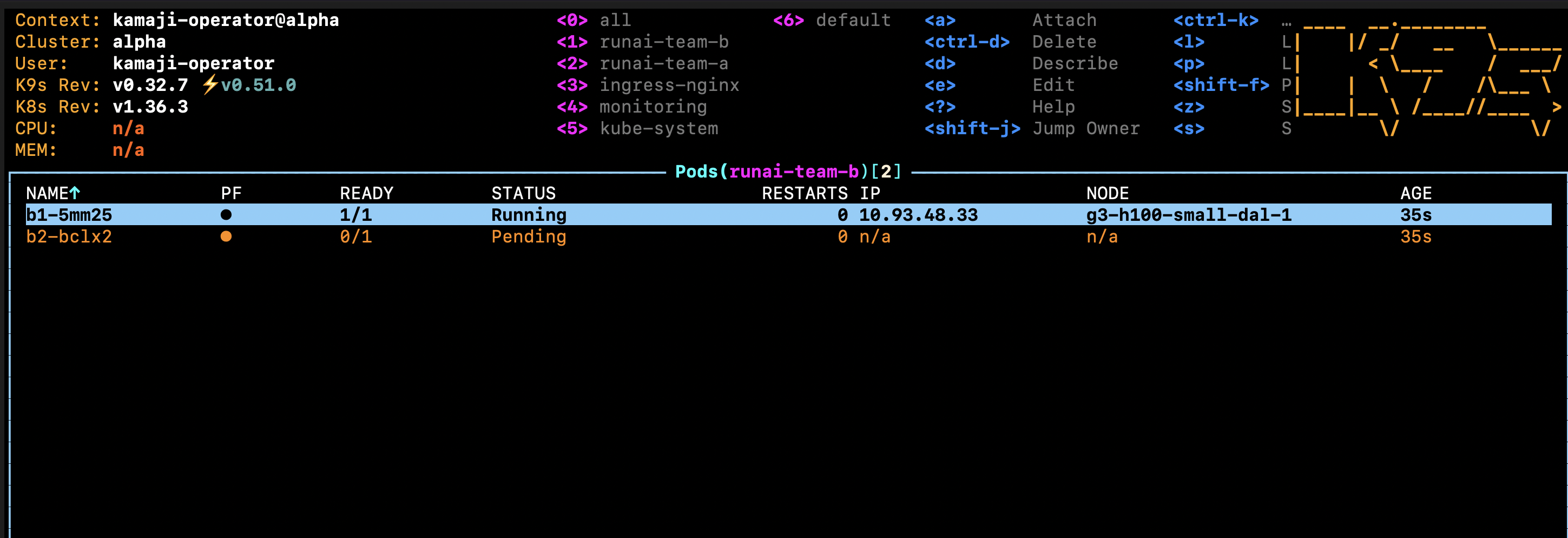
bravo’s H100 is idle, but alpha can’t see it:
kubectl --kubeconfig alpha.kubeconfig get nodes
kubectl --kubeconfig bravo.kubeconfig get nodes
kubectl --kubeconfig bravo.kubeconfig get pods -A | grep -c '^runai-team'

Now run a job in bravo. It needs its own project first:
runai cluster set bravo
runai project create team-c --resources gpu-deserved=1,gpu-limit=-1
runai project list                   # wait until team-c is Ready
runai training submit c1 -p team-c -i ubuntu -g 1 --command -- sleep infinity
runai workload list -p team-c
runai project list
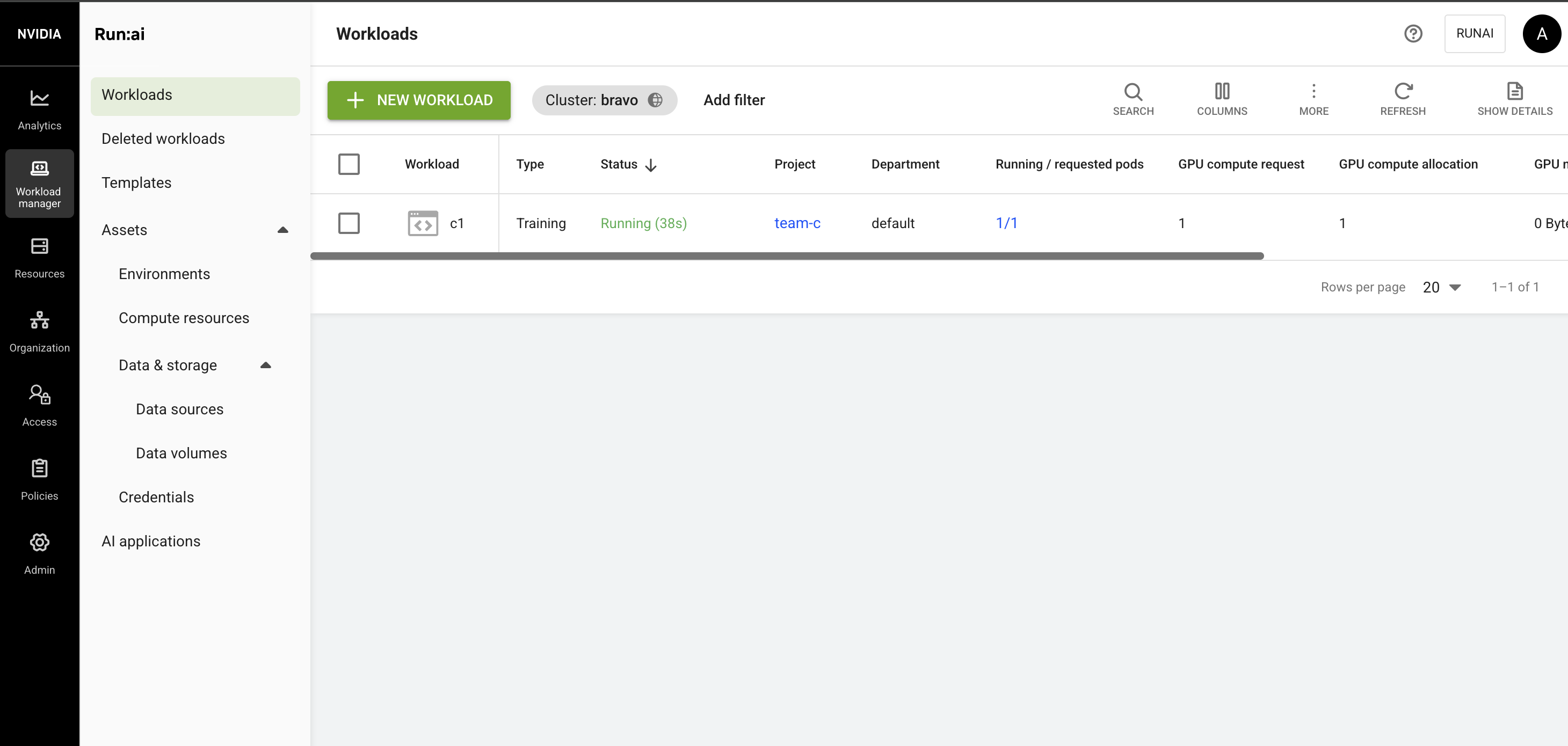
c1 starts straight away on shadecloud, while b2 keeps waiting in alpha:
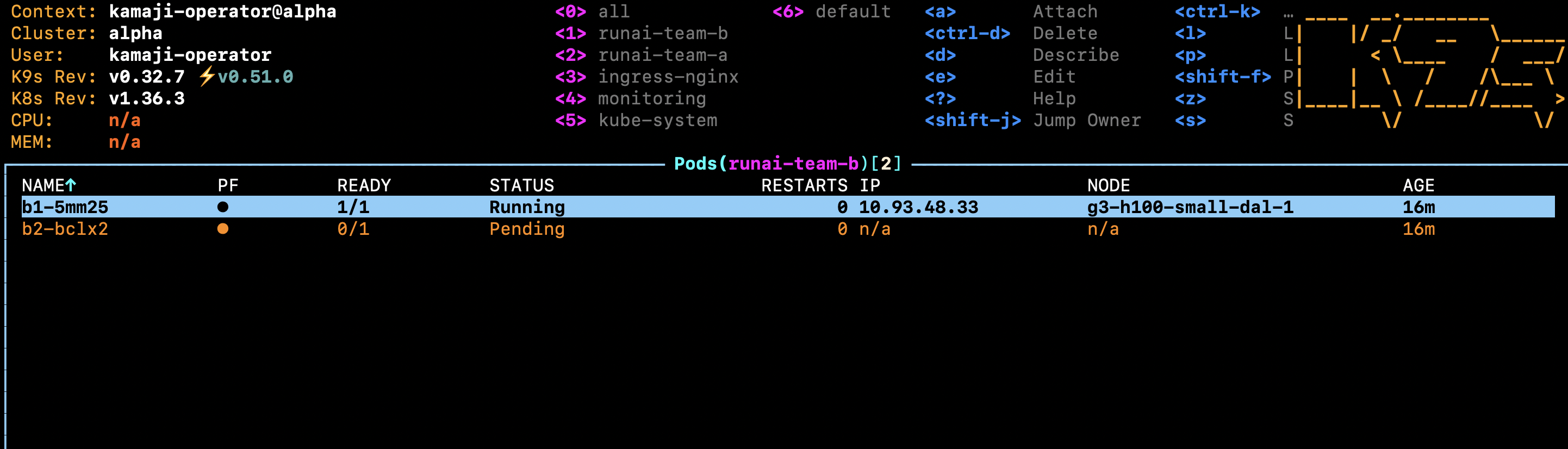
Sixteen minutes later, b2 is still Pending:
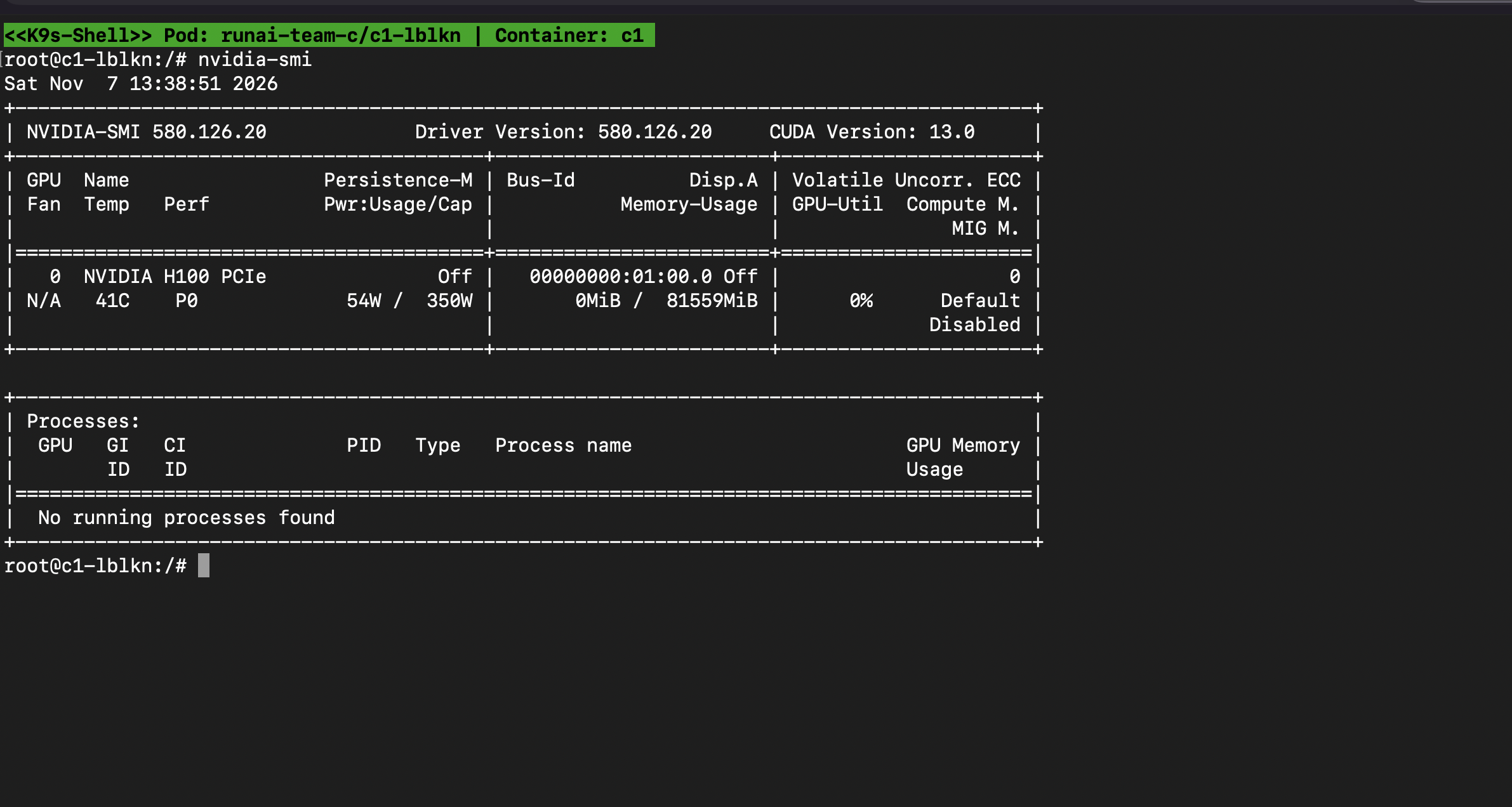
c1 sees the whole card, 81559 MiB:
bravo lists only its own project, team-c:

Each tenant gets only its own GPU. A busy alpha can’t use bravo’s idle card.
Which model fits#
| One cluster, Run:ai projects | Cluster per tenant | |
|---|---|---|
| Idle GPU sharing | Automatic, per GPU or fraction | None across tenants |
| API and node isolation | None | Full |
| Good for | Teams in one company | Customers who need separate capacity |
The two layers work: a Kamaji cluster per customer, and a Run:ai project per team inside it. Teams borrow from each other; customers never see each other.
Limits of this lab#
- GPU nodes don’t move between tenants: an idle node in
bravostays inbravo, even while teams inalphawait for GPUs. A custom controller with Cluster API could take a node out of an idle tenant and join it to a busy one. This post doesn’t cover it, but it’s worth exploring if you run at scale and want to make your GPUs more cost-effective. - Shared Run:ai control plane: tenants are separated by Run:ai access control only. That’s fine when one provider runs the platform for all tenants.
Wrapping up#
Kamaji and Run:ai work well together. Kamaji gives each customer its own cluster, so the bank and the hospital never see each other. Run:ai shares the GPUs inside each cluster, so the bank’s teams borrow idle GPUs and get them back when they need them. Both questions from the start of this post are answered.
“If you are building a GPU cloud, this combination is worth a look: a Kamaji cluster per customer, and Run:ai projects per team inside it.”